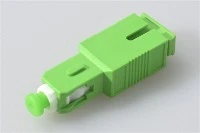
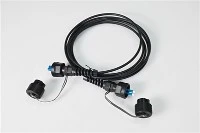
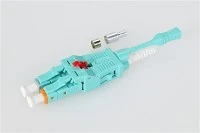
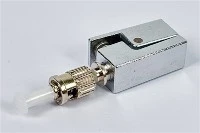
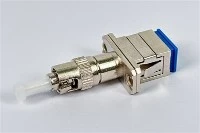
A fiber optic patch cord is a short, pre-terminated fiber cable with a connector on each end. It connects transceivers, patch panels, ODFs, media converters, switches, routers, and test equipment across FTTH, data center, telecom, industrial, and outdoor fiber networks.
Choosing the wrong patch cord - wrong connector, wrong polish type, wrong fiber mode - can lead to high insertion loss, excessive back reflection, link failure, or connector damage. This guide walks through the key types, connector differences, and practical selection criteria so you can match the right cable to each application without guesswork.

What Is a Fiber Optic Patch Cord and How Does It Work?
A fiber optic patch cord, also called a fiber patch cable or fiber jumper, is a factory-terminated cable assembly ready for plug-and-play use. Unlike bare fiber or a fiber pigtail (which has a connector on one end and bare fiber on the other for fusion splicing), a patch cord has connectors on both ends and requires no field termination.

Its primary job is short-distance interconnection: linking a transceiver module to a patch panel, connecting a fiber distribution frame to active equipment, or bridging two devices in a rack. You will find patch cords in nearly every fiber installation - from residential FTTH drops and PON distribution to high-density data center cross-connects and telecom central offices.
Main Components of a Fiber Patch Cord

Every patch cord shares four basic elements. The optical fiber core carries the light signal - either a 9/125 µm single mode core for long-reach links or a 50/125 µm (or 62.5/125 µm) multimode core for shorter distances. Surrounding the fiber is a strength member, typically aramid yarn, which absorbs pulling force during installation and protects the glass from mechanical stress. The outer jacket - made from PVC, LSZH, or other rated materials - shields the cable from abrasion, bending, and environmental exposure. Finally, the connectors and ferrules at each end align the fiber core with precision; ferrule quality directly affects insertion loss and return loss performance. The connector type you see most often depends on the application: LC connectors dominate data centers, while SC connectors are standard in FTTH and PON deployments.
Single Mode vs Multimode Fiber Patch Cord: Which Do You Need?
This is the first decision in any patch cord selection, and it is driven entirely by your transceiver and transmission distance - not by personal preference.

A single mode patch cord (OS2, 9/125 µm, typically yellow jacket) is built for long-distance, high-bandwidth links. If your transceiver is a single mode optic - common in telecom backbone, FTTH/PON, metro DWDM, or campus backbone runs exceeding a few hundred meters - you need single mode patch cords. OS2 fiber supports distances well beyond 10 km at wavelengths of 1310 nm and 1550 nm, and it is the standard choice for GPON, XGS-PON, and long-haul carrier networks.
A multimode patch cord uses a larger core (typically 50/125 µm) and is designed for shorter links inside buildings, data centers, and campus networks. The multimode grades - OM1 (62.5 µm, orange), OM2 (50 µm, orange), OM3 (50 µm, aqua), OM4 (50 µm, aqua), and OM5 (50 µm, lime green) - differ in bandwidth and supported reach for 10G, 25G, 40G, 100G, and 400G Ethernet. For new data center builds, OM3 or OM4 are the practical starting points; OM5 adds wideband multimode support for short-wavelength division multiplexing.
A common project mistake is mixing single mode and multimode patch cords in the same link. The core diameters do not match, and optical power will not couple correctly. Always verify the transceiver label - it specifies the fiber type the optic is designed for. For a deeper comparison, see our single mode vs multimode fiber guide.
Fiber Patch Cord Connector Types: LC, SC, FC, ST, and MPO/MTP
The connector type must match the port on your equipment. Plugging an SC into an LC port is not possible - they are physically incompatible. Here is how the most common types compare in practice.

LC Connector Patch Cord
LC is the dominant connector in modern data center and enterprise environments. Its small form factor (1.25 mm ferrule) enables high port density on patch panels and switch line cards. If your equipment uses SFP, SFP+, SFP28, or QSFP modules, the fiber interface is almost certainly LC. The LC patch cord is available in single mode and multimode variants, simplex and duplex configurations, and various polish types. For high-density racks where cable congestion is a concern, LC uniboot designs combine two fibers into a single housing, cutting cable volume roughly in half.
SC Connector Patch Cord
SC connectors use a 2.5 mm ferrule and a push-pull latching mechanism that makes them easy to insert and remove by hand - an important advantage in residential FTTH installations and outdoor distribution boxes where technicians work quickly. SC patch cords are the standard interface for GPON ONTs, many OLT line cards, CATV receivers, and PLC splitters in passive optical networks. In FTTH projects across Asia, Europe, and the Americas, SC-APC is by far the most commonly deployed subscriber-side connector.
FC Connector Patch Cord
FC connectors use a threaded screw coupling that holds the ferrule firmly in place, making them resistant to vibration and accidental disconnection. You will still find FC patch cords in telecom central offices, optical test benches, laboratory setups, and some legacy carrier equipment. In new deployments, FC is gradually being replaced by LC or SC, but it remains relevant wherever connection stability under vibration matters and equipment has not been updated.
ST Connector Patch Cord
ST connectors use a bayonet twist-lock mechanism. They were widely used in early multimode LAN installations and remain present in some industrial fiber links and legacy campus networks. ST patch cords are rarely specified for new projects, but they are still needed when maintaining or extending older multimode infrastructure.
MPO/MTP Connector Patch Cord
MPO (Multi-fiber Push-On) and MTP (the brand name for a high-performance MPO variant) connectors carry 8, 12, 24, or more fibers in a single rectangular ferrule. They are essential for 40G, 100G, and 400G parallel optics in data centers, where a single MPO/MTP trunk cable replaces many individual duplex patch cords. Polarity management is critical with MPO systems - TIA-568.3 defines Methods A, B, C, U1, and U2 to ensure transmit and receive fibers align correctly across the link. Getting polarity wrong means the link will not come up, even though the connectors physically mate. For practical guidance, see our MPO/MTP fiber guide.
Connector Comparison at a Glance

| Connector | Ferrule Size | Locking Style | Typical Applications | Key Advantage |
|---|---|---|---|---|
| LC | 1.25 mm | Latch clip | Data centers, SFP/QSFP modules, enterprise switches | High port density |
| SC | 2.5 mm | Push-pull | FTTH, GPON/EPON, CATV, PLC splitters | Easy handling, low cost |
| FC | 2.5 mm | Threaded screw | Telecom, test equipment, labs | Vibration-resistant connection |
| ST | 2.5 mm | Bayonet twist-lock | Legacy LAN, industrial, older patch panels | Secure mechanical lock |
| MPO/MTP | Multi-fiber rectangular | Push-pull | 40G/100G/400G data centers, trunk cabling | High fiber count per connector |
| E2000 | 2.5 mm | Push-pull with shutter | High-performance telecom, safety-critical links | Built-in dust and laser protection |
Each connector interface is standardized under the IEC 61754 series - for example, IEC 61754-20 for LC, IEC 61754-4 for SC, and IEC 61754-13 for FC - which ensures cross-manufacturer mating compatibility.
PC vs UPC vs APC: Choosing the Right Polish Type
The polish type of the connector end face controls how much light reflects back toward the source. This back reflection, measured as return loss, matters more in some applications than others.

PC (Physical Contact) provides a basic curved end face. It was once standard for multimode systems but is now uncommon in new single mode installations.
UPC (Ultra Physical Contact) has a more finely polished dome shape, reducing return loss to around −50 dB or better. UPC is widely used for digital communication links, Ethernet connections, and most standard single mode and multimode patching. UPC connectors are typically blue.
APC (Angled Physical Contact) adds an 8-degree angle to the end face, which directs reflected light away from the fiber core and achieves return loss of −60 dB or better. APC is the standard for FTTH, GPON, XGS-PON, CATV, and any RF-overlay or analog video application where even small back reflections degrade signal quality. APC connectors are always green - this color coding is specified under TIA-568.3 to prevent accidental cross-mating. For detailed performance comparison, read our PC vs UPC vs APC guide.
Critical rule: never mate an APC connector directly with a UPC connector. The angled and flat end faces will not make proper contact. This causes an air gap that increases insertion loss dramatically, raises return loss, and can physically damage both ferrule surfaces. If you need to bridge APC and UPC equipment, use a hybrid patch cord (APC on one end, UPC on the other) or an appropriate adapter with internal conversion.
Simplex vs Duplex Fiber Patch Cord
A simplex patch cord carries a single fiber strand. It is used in one-direction links - for example, certain monitoring feeds, some CATV distribution paths, or BiDi (bidirectional) transceivers that transmit and receive over a single fiber at different wavelengths.

A duplex patch cord carries two fiber strands - one for transmit, one for receive. This is the standard configuration for virtually all Ethernet optical links using conventional SFP, SFP+, or SFP28 transceivers. Most data center, enterprise, and telecom patch connections use duplex LC or duplex SC cables. For a more thorough comparison, see simplex vs duplex explained.
Cable Jacket Ratings: PVC, LSZH, OFNR, and OFNP
The jacket material is not just about durability - in many regions, building codes dictate which cable rating is permitted based on where the cable runs. In the United States, Article 770 of the NEC (NFPA 70) classifies optical fiber cables by fire performance, and using the wrong rating can violate local codes.

PVC is flexible, affordable, and adequate for general indoor use where no specific fire rating is required. It is the default jacket for many standard indoor patch cords.
LSZH (Low Smoke Zero Halogen) produces minimal smoke and no halogenated gases when burned. It is required or strongly preferred in enclosed public spaces, transit systems, data centers, and buildings in the European Union and many Asian markets where IEC 60332 flammability standards apply.
OFNR (Optical Fiber Nonconductive Riser) is rated for vertical runs between floors. NEC requires riser-rated cable when the patch cord passes through a floor penetration in a building shaft. OFNR cable must self-extinguish and prevent flame from traveling from floor to floor.
OFNP (Optical Fiber Nonconductive Plenum) carries the highest NEC fire rating. It is required in plenum spaces - the air-handling areas above drop ceilings or below raised floors - where fire and smoke could spread through HVAC ducts. OFNP cables must meet the flame spread and smoke density limits defined in NFPA 262. An OFNP cable can substitute for OFNR or general-purpose cable, but the reverse is not permitted.
Before ordering, confirm the installation path and check local building code requirements. In a data center, LSZH or OFNP is commonly specified depending on the jurisdiction.
Specialty Fiber Patch Cords for Demanding Environments
Armored Fiber Patch Cord
An armored patch cord adds a stainless steel or aluminum interlocking armor layer between the inner tube and the outer jacket. This protects the fiber from crushing, rodent damage, and rough handling - common risks in industrial plants, exposed cable trays, and temporary deployments where cables may be stepped on or run over by equipment carts.
Outdoor and Waterproof Fiber Patch Cord
Standard indoor patch cords fail quickly when exposed to moisture, UV radiation, and wide temperature swings. Outdoor waterproof patch cords use sealed connector types (ODVA, FullAXS, OptiTap, PDLC, or IP67/IP68 rated housings) and UV-resistant jacketing. They are essential for FTTA (fiber-to-the-antenna) connections at 4G/5G base stations, outdoor cabinets, remote radio units, and any link that runs between buildings without conduit protection. For more on outdoor cable selection, see our FTTA outdoor patch cable guide.
MPO/MTP Trunk and Breakout Cables
Beyond standard MPO-to-MPO trunk cables, breakout or fan-out assemblies split a single MPO connector into multiple LC or SC duplex connections. These are widely used in structured cabling systems for 100G migration and top-of-rack patching in data centers.
How to Choose the Right Fiber Optic Patch Cord: A Practical Checklist
Ordering a patch cord should not be an afterthought. A mismatch in any single parameter - connector, fiber mode, polish, or jacket - can bring down a link or cause subtle performance degradation that is difficult to diagnose later. Work through these steps before placing an order.
Step 1: Identify the Connector on Both Ends
Check the port interface on each device. SFP modules use LC. FTTH ONTs typically use SC. Older telecom gear may use FC. If the two devices have different port types, you need a hybrid patch cord (for example, LC to SC or LC to FC).
Step 2: Confirm Single Mode or Multimode
Read the transceiver label or datasheet. A 1310 nm or 1550 nm optic is single mode. An 850 nm optic is multimode. Match the patch cord fiber type to the transceiver - do not guess.
Step 3: Select the Correct Polish Type
Use APC for FTTH, PON, CATV, and any application sensitive to back reflection. Use UPC for standard digital links, Ethernet patching, and most data center connections. Never cross-mate APC with UPC.
Step 4: Choose Simplex or Duplex
Most standard Ethernet transceiver links require duplex. Use simplex only for BiDi optics, single-channel monitoring, or applications that explicitly call for one fiber.
Step 5: Verify Jacket Rating
Check the installation environment: general indoor (PVC), enclosed public space (LSZH), vertical riser (OFNR), plenum air-handling space (OFNP), or outdoor (outdoor-rated with UV and moisture protection).
Step 6: Set the Right Cable Length and Diameter
Measure the actual routing path, then add a small service loop - but avoid excessive slack, which creates bend-radius problems and complicates cable management. Common cable diameters are 0.9 mm (pigtail style), 2.0 mm (standard patch), and 3.0 mm (more robust). Thinner cables suit high-density racks; thicker cables are better for exposed runs.
Step 7: Confirm Optical Performance
For high-speed or long-distance links, request factory test reports showing insertion loss (IL) and return loss (RL). According to the TIA-568.3 standard, factory-made single fiber patch cords with adhesive/polish connectors should typically achieve less than 0.3 dB connection loss. For PON and CATV links, confirm that APC return loss meets at least −60 dB to avoid upstream signal issues in GPON and XGS-PON systems.
Specification Checklist for Ordering
When requesting a quote, provide all of the following: connector type at each end, fiber mode and grade (e.g., OS2 or OM4), polish type (UPC or APC), simplex or duplex, cable length, cable diameter, jacket material and fire rating, color requirements if any, quantity, and the application environment (indoor rack, outdoor tower, plenum ceiling, etc.).
Common Mistakes That Cause Link Problems
Cross-Mating APC and UPC Connectors
This is the single most damaging mistake in fiber patching. The 8-degree angled face of an APC connector and the flat dome of a UPC connector create an air gap when forced together. The result is severe insertion loss, poor return loss, and physical damage to both ferrules. In a busy patch panel, the green (APC) and blue (UPC) color coding exists specifically to prevent this - always check before mating.
Using the Wrong Fiber Mode
A single mode patch cord plugged into a multimode transceiver (or the reverse) will not work reliably. The core size mismatch prevents proper light coupling. This happens most often when patch cords are stored without clear labeling - a yellow cable gets grabbed for a multimode link, or an orange cable ends up on a single mode port.
Ignoring Bend Radius
Fiber is glass. Bending it past the minimum radius increases attenuation and can cause micro-cracks that degrade performance over time. The recommended minimum bend radius for standard premises cable is typically 10 times the cable outside diameter when not under tension. Tight cable routing around corners, under raised floor tiles, or in overcrowded cable trays is a frequent source of intermittent link errors.
Using Indoor Patch Cords Outdoors
Standard PVC or LSZH jackets are not designed for UV exposure, rain, condensation, or wide temperature cycling. An indoor patch cord run between buildings or up to a rooftop antenna will degrade within months. Always use outdoor-rated or waterproof assemblies for any exterior or exposed pathway.
Getting MPO/MTP Polarity Wrong
In parallel optics deployments, each fiber lane must map transmit to receive correctly across the entire channel. TIA-568.3 defines specific polarity methods (A, B, C, U1, U2). Mixing methods - or connecting a Type-A trunk cable with a mismatched adapter - means some or all lanes fail. Document your polarity scheme before installation and maintain it consistently throughout the link.
Frequently Asked Questions
What is a fiber optic patch cord used for?
A fiber optic patch cord connects optical devices - transceivers, switches, routers, patch panels, ODFs, media converters, and test instruments - over short distances inside racks, equipment rooms, and distribution frames.
What is the difference between a fiber patch cord and a fiber pigtail?
A patch cord has connectors on both ends and is ready to plug in. A A fiber pigtail has a connector on one end and bare fiber on the other, intended for fusion splicing to incoming cable.
LC vs SC patch cord - which should I choose?
Choose LC when your equipment has SFP/QSFP ports and you need high-density patching, which is typical in data centers and enterprise switches. Choose SC when the application is FTTH, GPON, CATV, or access-network distribution, where SC-APC is the standard subscriber-side interface.
How do I know if I need single mode or multimode?
Check your transceiver. A 1310 nm or 1550 nm wavelength means single mode; 850 nm means multimode. The transceiver datasheet or label will also state the compatible fiber type (OS2, OM3, OM4, etc.).
Can I connect an APC connector to a UPC connector?
No. The different end-face geometries prevent proper physical contact, causing high insertion loss, poor return loss, and potential ferrule damage. Use a hybrid patch cord or proper adapter if you need to bridge APC and UPC interfaces.
What is the standard length of a fiber optic patch cord?
There is no single "standard" length. Common stock lengths include 1 m, 2 m, 3 m, 5 m, 10 m, 15 m, and 30 m. The right length depends on your actual routing distance plus a reasonable service loop. Most manufacturers also offer custom lengths.
What jacket material should I choose?
PVC for general indoor use, LSZH for enclosed or public spaces (especially where IEC 60332 or similar standards apply), OFNR for riser shafts between floors, OFNP for plenum air-handling spaces, and outdoor-rated jackets for any exterior or exposed installation.
What causes high insertion loss in a fiber patch cord?
Common causes include contaminated ferrule end faces (dust, oil, fingerprints), damaged or scratched ferrules, poor fiber core alignment, excessive bending, and using the wrong fiber mode or polish type for the application. Regular end-face cleaning and inspection are the most effective preventive measures.
Can fiber patch cords be customized?
Yes. Most manufacturers offer custom configurations: specific connector combinations (e.g., LC to SC, LC to FC), custom lengths, choice of fiber grade, cable diameter, jacket material, and color. For custom orders, provide a complete specification - see the ordering checklist above.
Conclusion
A fiber optic patch cord is a straightforward component, but selecting the wrong one can cause real problems - from link failure and signal degradation to connector damage that requires rework. The key is to match every parameter to the actual application: connector type to the equipment port, fiber mode to the transceiver, polish type to the network architecture, jacket rating to the installation environment, and cable length to the physical routing path.
For most networks, LC, SC, FC, ST, and MPO/MTP patch cords cover the standard requirements. For more demanding environments - industrial plants, outdoor towers, high-density racks - armored, waterproof, and uniboot options fill the gap. Before placing any order, work through the specification checklist, verify both ends of the connection, and confirm the installation environment. That process takes minutes and prevents the kind of troubleshooting that costs hours.
If you need help specifying a patch cord for a particular project, contact our engineering team with your application details, and we can recommend the right configuration.