FTTH stands for Fiber to the Home. It is a broadband network architecture that uses fiber-optic cable to deliver internet service directly to a residential unit - whether a house, an apartment, or a townhome. Instead of relying on copper telephone lines or coaxial cable for any part of the final connection, FTTH brings the optical fiber all the way to the subscriber's premises.
This direct fiber path is the core reason FTTH is associated with strong speed potential, low signal interference, and long-term network scalability. According to the Fiber Broadband Association's 2025 deployment survey, FTTH passings in the United States alone reached 98.3 million homes, covering over 60% of U.S. households - a clear sign of how central fiber-to-the-home has become in modern broadband infrastructure.
For homeowners, tenants, property developers, ISPs, and network contractors, FTTH is more than faster internet. It is a network foundation designed to support video streaming, remote work, cloud applications, online gaming, smart home devices, telemedicine, and future bandwidth-intensive services that have not yet arrived.

FTTH Meaning: How It Differs from Other Fiber Broadband Terms
FTTH, or Fiber to the Home, means that fiber-optic cable runs from the service provider's access network directly into the user's home. Data travels as light signals through thin strands of glass fiber. This is different from broadband services where fiber only reaches a street cabinet, a curb, a neighborhood node, or a building basement - and then switches to copper or coaxial cable for the remaining distance.

In some markets, FTTH is called "full fibre broadband" to distinguish it from partial-fiber services. The key terms to understand are:
- FTTH (Fiber to the Home): Fiber reaches the individual home or residential unit. The entire last-mile connection is optical.
- FTTP (Fiber to the Premises): Often used interchangeably with FTTH. "Premises" can refer to a home or a business location.
- FTTB (Fiber to the Building): Fiber reaches the building's telecom room or basement. The connection from there to each unit may use Ethernet, copper, or coaxial cable.
- FTTC (Fiber to the Curb/Cabinet): Fiber stops at a street cabinet. The final segment to the home uses copper, which limits speed and reliability.
- FTTN (Fiber to the Node): Fiber reaches a neighborhood distribution node. Copper or coaxial cable covers the remaining distance, often several hundred meters.
The closer the fiber reaches to the end user, the better the network can perform in terms of speed, signal quality, and upgrade capacity. FTTH eliminates the copper bottleneck entirely.
How Does an FTTH Network Work?
An FTTH network connects the operator's core infrastructure to individual homes through a series of optical and physical components. The specific design varies by country, operator, and building type, but the underlying structure follows a consistent pattern - particularly in networks based on Passive Optical Network (PON) technology.

OLT: The Provider-Side Starting Point
The Optical Line Terminal (OLT) sits at the service provider's central office or exchange. It connects the provider's core network to the fiber access layer and manages downstream and upstream traffic to all subscribers on that PON segment. For the end user, the OLT is invisible. For the operator, it is the control point for bandwidth allocation, service provisioning, and communication with each subscriber's optical terminal.
ODN: The Passive Fiber Distribution Network
The Optical Distribution Network (ODN) is the physical fiber path between the OLT and the subscriber's premises. A typical ODN includes feeder fiber cables, distribution cables, passive optical splitters, fiber distribution boxes, fiber terminal boxes, drop cables, connectors, adapters, and splice points.
In most FTTH deployments, PLC splitters divide one optical signal into multiple paths - allowing a single OLT port to serve 32, 64, or even 128 homes. Because these splitters are passive, they require no electrical power at the splitting point, which reduces maintenance and operating costs.
ONT and Router: Where Fiber Becomes Home Internet
Inside or near the home, the fiber cable connects to an Optical Network Terminal (ONT). The ONT converts light signals into an Ethernet signal that the home router can use. The ONT is not the same device as the Wi-Fi router. The ONT terminates the provider's optical network. The router distributes the internet connection to phones, laptops, smart TVs, cameras, and other devices through Wi-Fi or Ethernet.
This distinction matters in practice. If a household has an FTTH connection but the Wi-Fi router is outdated, poorly positioned, or overwhelmed by too many devices, the user may experience weak wireless performance - even though the fiber link itself is delivering full speed to the ONT. For larger homes, mesh Wi-Fi systems or wired access points may be needed to extend coverage.
Key Components Used in an FTTH Network
Understanding the physical components of an FTTH network is important for ISPs, network contractors, and property developers who need to plan, build, or maintain fiber infrastructure. Each component affects signal quality, installation efficiency, and long-term reliability.

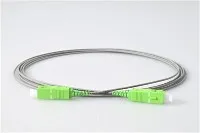
- Fiber Drop Cable: The cable that runs from the nearest distribution point to the subscriber's home. For FTTH, this is typically a single-mode fiber cable - either an indoor/outdoor type or a flat, low-friction cable designed for duct or riser installation. The choice between indoor drop cable and outdoor-rated cable depends on the routing environment, UV exposure, and moisture risk.
- Fiber Optic Connectors: The interfaces that join fiber cables to ONTs, splitters, patch panels, and distribution boxes. In FTTH networks, SC/APC connectors are the most widely used because their angled polish reduces back-reflection, which is critical in PON systems. Fast connectors are also common in field installation where fusion splicing is impractical.
- PLC Splitters: Planar Lightwave Circuit splitters divide one optical input into multiple outputs. Common split ratios include 1:8, 1:16, 1:32, and 1:64. Higher split ratios serve more subscribers per OLT port but reduce the optical power reaching each ONT. The splitter ratio must be planned against the network's optical power budget.
- Fiber Terminal Boxes: Wall-mounted or pole-mounted enclosures that house fiber splices, connectors, and splitter modules at distribution or access points. A 4-core terminal box might serve a single-family home, while a 24-core distribution box could handle a floor in an apartment building.
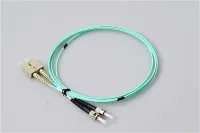
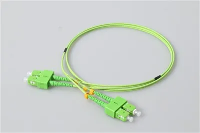
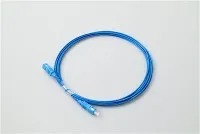
- Fiber Optic Patch Cords: Short, pre-terminated cables used to connect equipment inside distribution frames, splice closures, or customer premises. Patch cords with SC/APC or LC/UPC ends are standard in FTTH environments.
- Fiber Pigtails: Pigtails are short fiber cables with a connector on one end and a bare fiber on the other. They are fusion-spliced to incoming fiber cables inside splice trays, providing a clean termination point for patching.
For B2B procurement, the quality of these passive components directly affects the network's optical loss budget, fault rate, and maintenance cost over time. Poor connectors, dirty end faces, or improperly routed drop cables are among the most common causes of avoidable service issues in deployed FTTH networks.
GPON and XGS-PON: The Technology Behind FTTH
Most FTTH networks today are built on PON (Passive Optical Network) technology. The two most relevant PON standards for current and near-future deployments are GPON and XGS-PON.

GPON (Gigabit Passive Optical Network) is defined by the ITU-T G.984 standard series. It supports downstream speeds up to 2.5 Gbps and upstream speeds up to 1.25 Gbps, shared among all subscribers on one PON port. GPON has been the dominant FTTH technology worldwide for over a decade and remains the most widely deployed PON platform.
XGS-PON (10-Gigabit Symmetric PON) is defined by ITU-T G.9807.1. It delivers symmetrical 10 Gbps speeds - a major upgrade for applications that demand high upload bandwidth, such as cloud backup, video conferencing, surveillance systems, and content creation. XGS-PON uses different wavelengths from GPON (1577 nm downstream, 1270 nm upstream), which means operators can run both GPON and XGS-PON simultaneously on the same fiber infrastructure using wavelength-division multiplexing.
This coexistence capability is one reason FTTH is considered highly scalable. An operator who deployed GPON five years ago can upgrade individual subscribers to XGS-PON by changing the OLT line card and the ONT - without replacing the fiber cables, splitters, or distribution boxes already in the ground. The passive ODN infrastructure stays the same.
Key Benefits of FTTH Broadband
Strong Download and Upload Speed Potential
Fiber-optic cable can carry large volumes of data over long distances with minimal signal loss. This gives FTTH networks the capacity to deliver gigabit-class speeds in both directions. The actual speed a user receives depends on the service plan, PON technology (GPON or XGS-PON), ONT capability, router performance, and in-home network conditions - but the access infrastructure itself is rarely the bottleneck.
Upload speed is increasingly important. Remote workers joining video calls, families backing up photos to cloud storage, and businesses uploading security footage all depend on upstream bandwidth. FTTH - especially on XGS-PON - supports symmetrical service plans that cable and DSL connections typically cannot match.
Low Signal Interference
Fiber transmits data as light rather than electrical signals. This makes it inherently resistant to electromagnetic interference (EMI) from nearby appliances, electrical wiring, or radio sources. For apartments, dense urban buildings, and industrial environments where copper cables often pick up noise, fiber's immunity to EMI helps maintain a stable connection.
Long-Term Network Scalability
A well-designed FTTH network can serve subscribers for decades. When higher speeds are needed, operators upgrade the active electronics - the OLT and ONT - rather than replacing the buried fiber and passive components. The industry has already moved from GPON (2.5G) to XGS-PON (10G), and the next generation, 50G-PON (ITU-T G.9804), is under development. Each generation reuses the same ODN.
This upgrade path is why fiber infrastructure is often described as a long-term investment rather than a short-cycle technology purchase.
Suitable for High-Demand Homes and Smart Communities
A single household today may run multiple smartphones, laptops, tablets, smart TVs, security cameras, gaming consoles, voice assistants, and connected appliances - all at the same time. FTTH provides the access bandwidth to support these simultaneous demands without the congestion that copper-based last-mile connections often face during peak hours.
For larger-scale projects - residential communities, apartment developments, municipal broadband networks - FTTH also supports long-term digital infrastructure planning, including smart metering, building automation, public safety systems, and telehealth services.
FTTH vs Cable Internet vs DSL

Choosing a broadband technology involves understanding the trade-offs. Here is how FTTH compares with cable (DOCSIS) and DSL (Digital Subscriber Line) on key performance factors:
- Transmission medium: FTTH uses fiber-optic cable end to end. Cable uses coaxial cable (often with fiber backhaul). DSL uses copper telephone lines.
- Download speed potential: FTTH supports multi-gigabit speeds. Cable typically reaches 1–2 Gbps with DOCSIS 3.1. DSL is usually limited to 100 Mbps or less, depending on line length.
- Upload speed potential: FTTH can deliver symmetrical upload speeds (especially on XGS-PON). Cable upload speeds are significantly lower than download. DSL upload is also asymmetric and often below 20 Mbps.
- Latency: Fiber generally offers lower and more consistent latency than cable or DSL. This matters for video conferencing, gaming, and real-time applications.
- Distance sensitivity: DSL performance degrades sharply with distance from the exchange - a home 3 km from the DSLAM may get a fraction of the advertised speed. Cable is less distance-sensitive but shares bandwidth among users on the same segment. FTTH performance is consistent across the PON's designed reach (typically up to 20 km).
- Interference resistance: Fiber is immune to EMI. Copper (DSL) and coaxial (cable) are susceptible to electrical noise.
- Upgrade path: FTTH infrastructure can support future speed tiers through equipment upgrades. Cable and DSL face physical limitations that often require infrastructure replacement to match fiber speeds.
For users who primarily browse and stream, cable may be adequate. But for households or businesses that need strong upload performance, low latency, and a network that can grow with demand, FTTH offers a clear advantage.
FTTH Installation: What to Expect
The FTTH installation process depends on the operator, building type, local regulations, and existing duct or conduit infrastructure. A typical residential installation includes four stages.

Step 1: Availability Check
The service provider confirms whether FTTH infrastructure already exists at the subscriber's address. If the area has been built out and a distribution point is nearby, installation can often be completed in a single visit. If not, civil works - such as trenching, duct installation, or aerial cable routing - may be needed first.
Step 2: Drop Cable Installation
A fiber drop cable is routed from the nearest distribution point to the home. This may involve underground duct pulling, aerial suspension from utility poles, or riser routing inside an apartment building. For single-family homes, the cable typically enters through an exterior wall near the planned ONT location. In multi-dwelling units, fiber is routed through a building's telecom room and floor-level distribution boxes before reaching each unit.
Common field issues at this stage include blocked ducts, insufficient riser space, and the need to negotiate cable entry points with property owners or building management.
Step 3: ONT Placement
The technician installs the ONT at a suitable indoor location. Good placement should consider access to a power outlet, proximity to the router or main network point, protection from moisture or physical damage, clean cable routing with proper bend radius, and ease of future maintenance. In practice, a poorly placed ONT - hidden behind furniture or in a damp utility closet - can create long-term service issues that are difficult to resolve later.
Step 4: Router Setup and Service Testing
Once the ONT is active, the router is connected and configured. A proper handover should include testing the optical signal level (to confirm the link budget is within range), verifying Ethernet connectivity between the ONT and router, checking download and upload speeds against the subscribed plan, and assessing Wi-Fi coverage in key rooms.
If the fiber connection tests well but Wi-Fi is weak in certain areas, the problem is usually related to router placement, wall materials, Wi-Fi channel interference, or the need for mesh nodes or wired access points - not the FTTH connection itself.
Common FTTH Use Cases
Residential Broadband
FTTH is the primary technology for home internet service in many markets. It supports simultaneous streaming on multiple screens, high-quality video calls, large file transfers, cloud gaming, and always-on smart home devices. Households with several remote workers or students benefit particularly from fiber's consistent upload performance.
Apartments and Multi-Dwelling Units (MDUs)
Deploying FTTH in apartment buildings requires careful planning of riser cables, floor-level distribution boxes, and individual drop cables to each unit. A well-designed MDU fiber cabling system improves broadband readiness and tenant satisfaction. Key challenges include limited riser space, coordination with building management, and ensuring each unit's drop cable is properly protected and labeled.
Smart Communities and Municipal Broadband
Cities, municipalities, and planned communities use FTTH as a backbone for public Wi-Fi backhaul, smart metering, connected security systems, remote healthcare access, and local business connectivity. Municipal fiber networks also give communities more control over broadband availability and pricing.
ISP and Carrier Access Networks
For service providers, FTTH is a long-term access network strategy. It reduces operational dependence on aging copper infrastructure and creates a scalable platform for residential, business, and wholesale broadband services. With XGS-PON and future 50G-PON, operators can serve increasingly demanding customers without rebuilding the passive fiber plant.
Common Misunderstandings About FTTH
FTTH Does Not Automatically Mean Fast Wi-Fi
FTTH delivers high-speed internet to the ONT at the edge of the home. But Wi-Fi performance depends on the router, its placement, the building's construction materials, the number of connected devices, and RF interference from neighbors. An FTTH subscriber with a poor router will have a worse wireless experience than a cable subscriber with a well-configured mesh network. The fiber connection is only as useful as the in-home network that distributes it.
Fiber to the Building Is Not the Same as Fiber to the Home
FTTB stops at the building's equipment room. The last segment to each apartment may use Ethernet LAN cable, old telephone copper, or coaxial cable - each with its own speed limitations. FTTH means the fiber reaches the individual unit. When evaluating apartment broadband, always confirm whether the connection is FTTH or FTTB.
Not All FTTH Services Deliver the Same Speed
FTTH describes the physical access architecture, not the service tier. Two FTTH subscribers may experience very different speeds depending on their plan, the PON technology in use (GPON vs. XGS-PON), the ONT model, the router, and the number of users sharing the same PON segment. Always check the actual subscribed speed and test it against the delivered performance.
FTTH Installation Is Not Always Complex
When fiber infrastructure is already built out to the street or building, a standard FTTH installation can be completed in one to two hours. Complexity increases when duct routes are blocked, the building has no existing telecom riser, or the drop cable path requires exterior drilling or civil works. In many urban areas with established fiber distribution networks, however, installation is straightforward.
How to Choose an FTTH Service or Solution
Whether you are a homeowner subscribing to broadband, a property developer planning a new project, or an ISP building out your access network, the following factors are worth evaluating:
- Confirm it is real FTTH: Verify that fiber reaches the home or unit - not just the building or street cabinet.
- Check the PON technology: GPON supports up to 2.5 Gbps downstream shared. XGS-PON supports 10 Gbps symmetrical. The technology in use affects both current speed limits and future upgrade potential.
- Evaluate upload speed: If remote work, cloud backup, or video conferencing are important, ensure the plan offers adequate upload bandwidth.
- Review the ONT and router: Some operators supply equipment that may be outdated or limited. Ask whether you can use your own router, and whether the ONT supports gigabit Ethernet output.
- Plan the installation path: Know where the fiber will enter the home, where the ONT will be placed, and whether additional indoor cabling or Wi-Fi distribution is needed.
- Assess passive component quality (for B2B projects): The reliability of FTTH passive components - including splitters, SC connectors, terminal boxes, and patch cords - directly affects the network's optical loss, fault rate, and total cost of ownership. Specify connector polish types (PC, UPC, APC) and check insertion loss and return loss specifications before purchasing.
- Document everything: Ensure the fiber route, termination points, splitter locations, and optical test results are properly recorded. Good documentation reduces future troubleshooting time significantly.
Practical Deployment Notes
Based on common field experience in FTTH projects, several issues come up repeatedly - and most of them are preventable.
- ONT placed in an inaccessible location: If the ONT is installed behind a cabinet or in a locked utility room without power access, maintenance becomes difficult and the user may not be able to restart the device when needed.
- Drop cable bent below minimum bend radius: Fiber cables have minimum bend radius requirements (typically 15–30 mm for indoor drop cables). Sharp bends at wall entry points or corners can increase optical loss or cause micro-cracks over time.
- Connector end faces not inspected or cleaned: Dirty or scratched connector end faces are one of the top causes of high insertion loss and intermittent faults in FTTH networks. A simple fiber-optic inspection scope and cleaning tools should be part of every installation kit.
- Distribution boxes not labeled: In MDU deployments, unlabeled or poorly labeled fiber distribution boxes create major problems during fault isolation and subscriber changes. Every port, splice, and cable should be clearly identified.
- Splitter ratio chosen without power budget calculation: Using a 1:64 splitter in a network with marginal optical power can leave some subscribers below the ONT's receiver sensitivity threshold. The optical power budget - accounting for fiber length, splice loss, connector loss, and splitter loss - should be calculated before selecting the split ratio.
Frequently Asked Questions About FTTH
Q: What Does FTTH Stand For?
A: FTTH stands for Fiber to the Home. It means fiber-optic cable runs directly to the individual home or residential unit, with no copper or coaxial cable in the last-mile connection.
Q: What Is The Difference Between FTTH And FTTP?
A: FTTH and FTTP (Fiber to the Premises) are closely related. FTTH specifically refers to residential connections, while FTTP is a broader term that can include homes, offices, and commercial premises. In practice, many operators and industry bodies use the two terms interchangeably.
Q: Is FTTH Better Than Cable Internet?
A: FTTH generally offers better upload speeds, lower latency, greater resistance to interference, and a clearer upgrade path than cable internet. Cable can still deliver high download speeds with DOCSIS 3.1, but its upload capacity and shared-bandwidth architecture are less suited to demanding multi-user environments.
Q: Is FTTH Better Than DSL?
A: Yes, in nearly all performance metrics. DSL is limited by the copper telephone line and degrades over distance. FTTH is not distance-sensitive within its design range and supports far higher speeds in both directions.
Q: Does FTTH Use A Modem Or An ONT?
A: FTTH uses an ONT (Optical Network Terminal), not a traditional modem. The ONT converts optical signals from the fiber network into Ethernet signals. A separate router is then used to distribute the internet connection throughout the home.
Q: Can FTTH Support Gigabit Internet?
A: Yes. GPON-based FTTH can deliver up to 2.5 Gbps downstream (shared among subscribers on the same PON). XGS-PON supports 10 Gbps symmetrical. Gigabit residential plans are standard on most FTTH networks.
Q: Is FTTH Good For Gaming And Video Calls?
A: FTTH provides low latency and consistent speeds, which are important for real-time applications like gaming and video conferencing. Upload speed - often a weakness of cable and DSL - is a particular advantage of FTTH for two-way video and game streaming.
Q: What Is The Difference Between GPON And XGS-PON In FTTH?
A: GPON (ITU-T G.984) delivers up to 2.5 Gbps downstream and 1.25 Gbps upstream. XGS-PON (ITU-T G.9807.1) delivers 10 Gbps symmetrical. Both can coexist on the same fiber using different wavelengths, allowing operators to upgrade subscribers incrementally.
Q: Can FTTH Be Installed In Old Buildings?
A: Yes, though installation in older buildings may be more complex due to the absence of modern telecom ducts, limited riser space, or restricted wall access. Solutions include micro-duct installation, surface-mounted cable routing, and the use of fast connectors instead of fusion splicing in tight spaces.
Q: How Long Does FTTH Installation Take?
A: If fiber infrastructure is already in place near the home, a standard FTTH installation - including drop cable routing, ONT placement, and testing - typically takes one to three hours. If civil works or building infrastructure is needed, the timeline may be longer.
Q: What Cable Is Used For FTTH Drop Installation?
A: FTTH drop cables are typically single-mode fiber cables with a small diameter and low bend sensitivity. Indoor types may use LSZH (Low Smoke Zero Halogen) jacketing for fire safety. Outdoor types include UV-resistant jackets and may have a steel messenger wire for aerial spans.
Q: What Is An FTTH Terminal Box?
A: An FTTH terminal box is a small enclosure - usually wall-mounted - that houses fiber splices, connectors, or splitter modules at a distribution or access point. Terminal boxes come in various sizes, from 2-core models for single-home use to 48-core models for building-level distribution.
Q: What Should I Check Before Choosing An FTTH Provider?
A: Confirm the connection type (FTTH vs FTTB vs FTTC), check the subscribed download and upload speeds, ask about the ONT and router models provided, understand the installation path and ONT location, and read the contract terms for data caps, fair-use policies, and support response times.
Conclusion
FTTH is the broadband access architecture best positioned for modern and future connectivity demands. By bringing fiber directly to the home, it eliminates the copper bottleneck that limits cable and DSL, and it provides a passive infrastructure that can support multiple generations of PON technology - from GPON to XGS-PON and beyond.
For individual users, FTTH means faster, more reliable internet with strong upload speeds. For property developers and ISPs, it is a long-term infrastructure asset that reduces maintenance costs and supports growing bandwidth needs. For network contractors, the quality of passive components - connectors, splitters, terminal boxes, patch cords, and drop cables - determines whether a network performs reliably for years or creates recurring service issues.
If you are planning an FTTH deployment or evaluating an FTTH service, look beyond advertised speeds. Review the full network path, confirm the PON technology in use, assess the passive optical components, and verify the installation quality. A well-built FTTH network is not just about speed today - it is about building an access foundation that serves reliably for the next decade and beyond.