Written for network installers and procurement teams, and checked against the current MPO interface standard (IEC 61754-7) and TIA-568.3 polarity methods so you can verify the technical points rather than take them on faith.
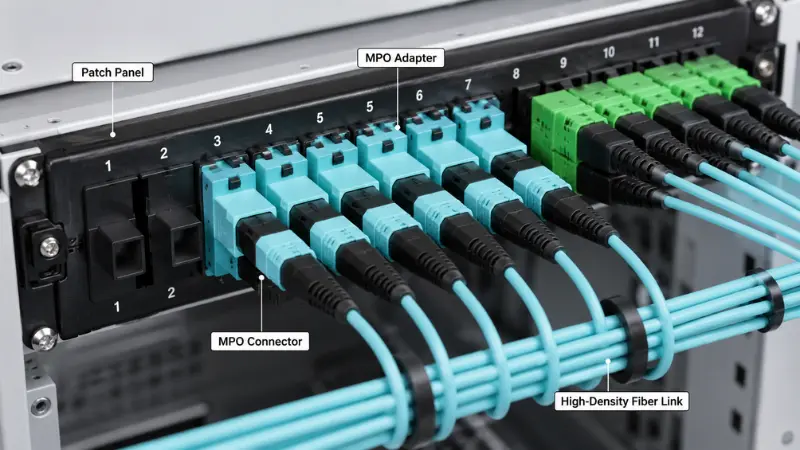
An MPO adapter looks like a simple plastic coupler, but inside a high-density fiber link it does one critical job: it holds two multi-fiber MPO connectors face to face so that every fiber core lines up with its partner at the same instant. In a data center where a single 1U panel can carry hundreds of fibers, a misaligned or wrong-polarity adapter is the difference between a clean link and hours of tracing a connection that looks fine but does not pass light.
This guide explains what an MPO adapter is, how it actually works, the types you will meet on a datasheet (polarity, fiber count, gender, and housing), and a step-by-step way to choose the right one. Where it matters, it points to the interface and polarity standards so you can confirm a part instead of guessing.
What Is an MPO Adapter?
An MPO adapter, sometimes written as an MPO/MTP adapter, is a fiber optic coupling device built for multi-fiber MPO connectors. It receives one connector from each side and holds them in the correct orientation so a whole row of fibers, whether that is 8, 12, 16, or 24 of them, mates together through one compact interface.
Unlike a single-fiber LC adapter, which couples just two fibers, an MPO adapter manages an entire array, sometimes two stacked rows. That is what makes it the backbone of high-density patching, where rack space, airflow, and cable routing are all under pressure.
You will typically find MPO adapters in data center patch panels and MPO cassettes, backbone and trunk cabling, optical distribution frames, and migration projects moving 40G, 100G, or 400G duplex links over to parallel optics.
MPO Adapter vs MPO Connector
The two terms travel together, but they are not the same part. The connector is on the cable; the adapter is in the panel.
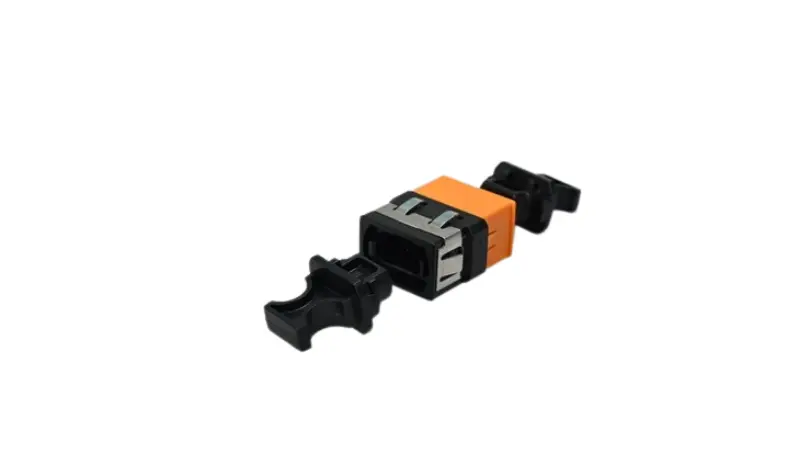
| Item | MPO Adapter | MPO Connector |
|---|---|---|
| Main function | Couples and aligns two MPO connectors | Terminates a row of optical fibers |
| Where it sits | Mounted in a panel, cassette, or adapter plate | Attached to the end of a trunk or patch cable |
| Key job | Holds both connectors in the right orientation | Carries the fibers and mates with the opposite connector |
| What to check | Polarity, key orientation, housing style, fiber count | Fiber count, gender, ferrule grade, polish, insertion loss |
In short, the MPO connector is the part attached to the cable, while the adapter is the part in the panel that lets two connectors mate correctly.
How Does an MPO Adapter Work?
An MPO adapter is a mechanical guide, not an optical component. It usually contains no fiber of its own. When you push a connector in from each side, the adapter housing fixes their orientation and holds the correct mating position so the two ferrules can meet squarely.
Housing, key, and guide pins
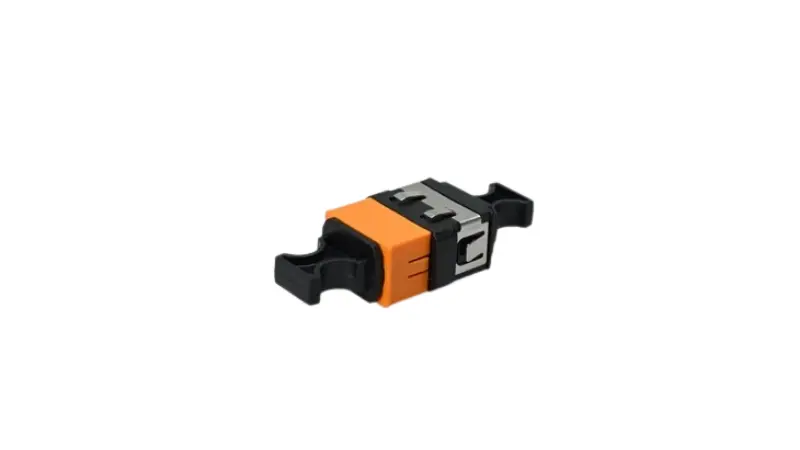
Each MPO connector uses a rectangular multi-fiber (MT) ferrule with a small key on one side of the body. The adapter opening is shaped to that key, so a connector only seats one way. Fine alignment, though, comes from the ferrules themselves. In a correct pair, one connector is pinned, meaning male with two guide pins, and the other is unpinned, meaning female with two guide holes. The pins slide into the holes and register the two ferrules to within microns. The MPO interface dimensions that define this pin and guide-hole geometry for male and female plugs are set out in IEC 61754-7, which is why compliant connectors and adapters from different makers can intermate.
Connector gender is not optional
Because alignment depends on pins seating into holes, a working mated point needs exactly one male and one female connector. Two males will not seat, since there are no holes to take the pins, and forcing them can damage the end faces. Two females have nothing to align them at all. So before you order, trace the gender along the whole link: if your trunk lands female, the cassette or patch cord on the other side has to bring the pins. The adapter cannot fix a gender mismatch; it only holds whatever you give it.
MPO Adapter Polarity and Key Orientation Explained
Polarity is the part of MPO work that produces the most field errors, because the parts can fit mechanically while the optical path is wrong. In a duplex link one fiber transmits and the other receives. Across a multi-fiber MPO that transmit-and-receive relationship has to survive every trunk, cassette, and patch cord in the channel, so polarity is a property of the whole link, not of any single adapter.
Type A, Type B, and Type C
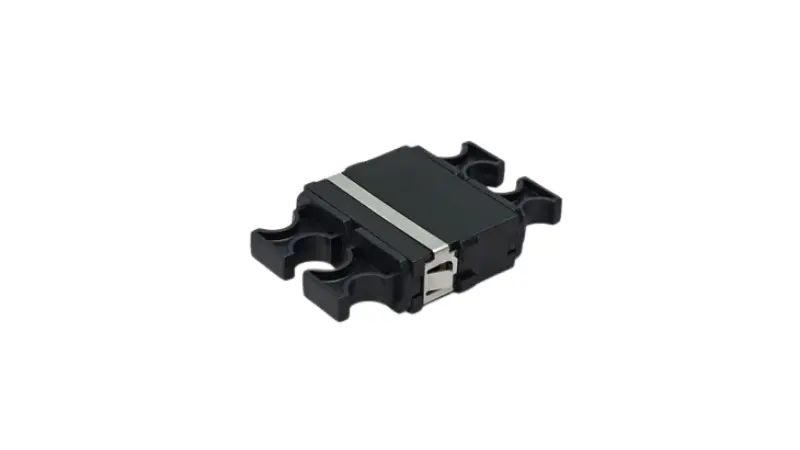
TIA-568.3 describes three array polarity types. They differ in how the fibers are mapped end to end and in how the connectors are keyed.
| Type | Fiber mapping (where position 1 lands) | Key orientation | Where it fits |
|---|---|---|---|
| Type A (straight) | Position 1 to position 1 | Key-up to key-down | Cassette-based structured cabling; the channel needs one flipped patch cord |
| Type B (reversed) | Position 1 to position 12 | Key-up to key-up | The common choice for direct parallel optics; the same patch cords work at both ends |
| Type C (pair-flipped) | Position 1 to position 2, in swapped pairs | Key-up to key-down | Some duplex MPO-to-LC systems |
All three are valid and standards-compliant, and all three achieve the same goal of getting transmit on one end to receive on the other. The catch is that they are not interoperable if you mix them. Pick one method for the whole installation and keep it consistent, because the TIA-568.3 polarity methods are interchangeable in result but not when combined in the same channel.
Reading key-up and key-down
Key-up means the connector's key tab points up; key-down means it points down. With the key up and the end face toward you, position 1 sits on the far left. Whether two mated connectors meet key-up to key-down or key-up to key-up is exactly what decides a straight versus a reversed mapping, so on a datasheet the key relationship is a direct clue to the polarity type. One trap is worth flagging: reversing positions also reverses the angled end face on APC singlemode connectors, so Type B is usually a multimode, flat-polish convention. If you are working with APC, confirm the polish and angle before you assume a method.
MPO vs MTP Adapter: Are They the Same?
You will often see parts labeled MPO/MTP and wonder whether you are buying two different things. MTP is a registered trademark of US Conec for its own enhanced MPO connector, built to tighter tolerances with a floating ferrule and a metal pin clamp. By definition an MTP connector is fully compliant with the MPO standard, so MTP and generic MPO intermate. Put plainly, every MTP is an MPO, but not every MPO is an MTP.
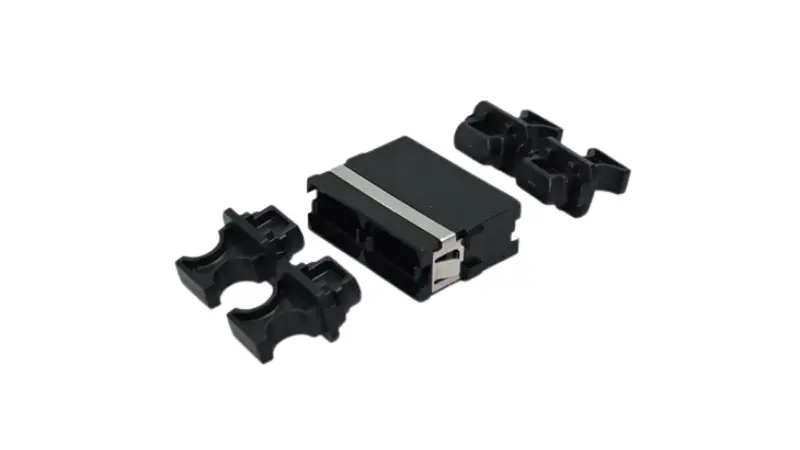
For an adapter, this means a quality MPO adapter will mate MTP and generic MPO connectors alike; the practical differences in loss consistency and mating-cycle durability live mostly in the connector, not the coupler. When a project specification says MTP, it is worth checking whether the customer means the US Conec brand specifically or is using the word loosely for any MPO, because that single distinction changes price and sourcing. For a deeper comparison, see our guide to MPO and MTP fiber.
Types of MPO Adapters
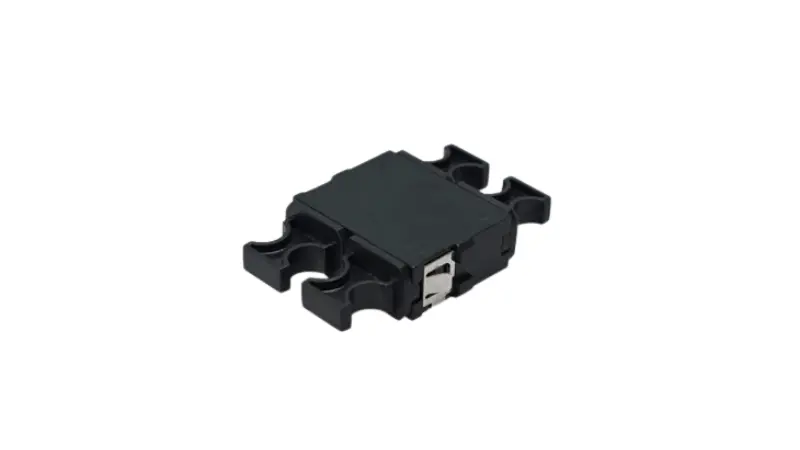
By fiber count: 8, 12, 16, and 24
Match the adapter to the connector format and the application. Common counts and where they appear:
- 8 and 12 fiber: 40G-SR4 and 100G-SR4 use 8 fibers, often housed inside a 12-fiber MPO; singlemode 400G-DR4 also uses 8 fibers in an MPO-12.
- 16 fiber: 400G-SR8 and the 800G variants use 16 fibers, with 8 transmitting and 8 receiving, in an MPO-16.
- 24 fiber: a two-row format for very high density and some legacy 100G-SR10 links.
An MPO-12 and an MPO-16 are not interchangeable. They differ in ferrule width and key, so the adapter opening differs too. Confirm the count on both the connector and the panel before you buy. Multi-count MTP/MPO adapters are available to simplify stocking, but the adapter still has to match the connector you are actually using.
Singlemode vs multimode
MPO adapters come for both. Singlemode (OS2) suits longer reach and tighter loss budgets, while multimode (OM3, OM4, OM5) dominates the short-reach, high-speed links inside the data center. The fiber type drives the connector polish and performance grade, and often the housing color. If you are still deciding which to deploy, our overview of singlemode versus multimode fiber lays out the trade-offs.
Color code and housing
Color is a useful first clue. Aqua usually signals OM3 or OM4, magenta or erika violet often signals OM4, lime green signals OM5, and blue or green is common for singlemode. It is a clue, though, not a guarantee, because manufacturers vary and the UPC-versus-APC choice also affects body color. Read the datasheet for fiber type, polarity, and grade rather than buying on housing color alone. If your color decision really hinges on the glass, the OM1 to OM5 multimode family explains how the grades map to applications.
Flanged vs flangeless
This is a panel-fit decision more than a performance one.
| Aspect | Flanged | Flangeless |
|---|---|---|
| Mounting | Screw-fixed to a metal panel | Snap-in clip, tool-less |
| Best when | Fixed ODF or patch panels, heavier handling, frequent re-patching | High-density modular panels and cassettes, fast assembly |
| Trade-off | Stronger hold, slower to mount | Quick to mount, retention relies on the panel cutout |
If the adapter lives in a fixed metal frame that gets handled often, flanged is the safer choice. If you are packing a dense modular panel and want tool-less assembly, flangeless usually wins.
Where Are MPO Adapters Used?
Rather than list applications, it helps to look at the connection point and the selection note for each.
Data centers. MPO adapters sit in patch panels, on cassette rears, and at trunk-to-trunk joins. A typical path runs a high-count MPO trunk or patch cable onto a panel, then breaks it out through cassettes to LC duplex ports. The selection note: match the cassette's polarity type and key orientation, or the breakout will not preserve transmit and receive.
Telecom and ODF. In optical distribution frames and central-office routing, MPO consolidates many fibers into compact panels. If you are choosing between frame styles, our comparison of ODF versus patch panel covers where each fits.
Cassettes and breakout. Many cassettes use MPO adapters at the rear and LC at the front, turning one trunk into duplex patching ports. For mixed deployments, see LC versus MTP/MPO for high density, and where an
8-core SC-to-MTP/MPO breakout makes sense.
High-speed migration. Moving from duplex to parallel optics, MPO cabling simplifies the physical layer. 400G-SR8, for example, runs 16 fibers over an MPO-16 per IEEE 802.3. If you are taking a 100G step first, our
100G cabling guide walks through the options.
Benefits at a Glance
| Benefit | What it means in practice |
|---|---|
| Higher density | One MPO interface carries 8 to 24 fibers, cutting the number of couplers and adapters in the rack |
| Cleaner management | Fewer connection points means less congestion and better airflow |
| Faster install | Pre-terminated trunks and cassettes skip on-site polishing and splicing |
| Easier upgrades | A planned MPO backbone can re-home to cassettes, breakouts, or direct parallel optics later |
| High-speed ready | A native fit for 40G, 100G, and 400G parallel transceivers |
How to Choose an MPO Adapter: A 6-Step Framework?
Rather than picking by shape, work down the channel in order:
- Confirm the link type. Is it a direct MPO-to-MPO link, or an MPO trunk feeding cassettes that break out to LC?
- Confirm the transceiver interface. Note the fiber count and connector, for example 100G-SR4 at 8 fibers, or 400G-SR8 at 16 fibers and often APC.
- Confirm the trunk fiber count. MPO-8, 12, 16, or 24; the adapter has to match it.
- Confirm cassette versus direct. Cassettes set the polarity mapping for you. A direct link pushes polarity onto the trunk and patch cords, so you carry the responsibility yourself.
- Confirm key orientation and housing. Key-up to key-down or key-up to key-up for your method, and flanged or flangeless for your panel.
- Confirm loss budget and cleanliness. Choose the insertion-loss grade your link budget needs, and plan to inspect and clean before mating.
If steps 1 through 5 leave you with more than one count to stock, a multi-format adapter can simplify the shelf, but only after those steps are actually settled.
Example: Choosing an Adapter for a Data Center Patch Panel
Say you are landing a 24-fiber OM4 MPO trunk on a 1U panel and breaking it out to LC duplex for 100G-SR4 switches. The trunk connectors are female, and the cassette MPO connectors are male, so a standard MPO adapter mates them with no gender clash. You have standardized on Method B, so the cassettes and trunk are Type B and the connectors meet key-up to key-up; the adapter simply has to support that orientation and the fiber-count format the cassette uses. You choose flangeless adapters because the panel is a dense snap-in design, aqua housing because the fiber is OM4, and a low-loss grade because the channel already spends budget on two cassette mates. Before patching, you inspect each ferrule. None of this is exotic, but skip the polarity check and the whole panel quietly transmits into transmit.
MPO Adapter Specification Checklist for RFQ
When you send a quote request, give the supplier these details so the right part ships the first time:
- Fiber count: 8F, 12F, 16F, or 24F
- Fiber type: singlemode (OS2) or multimode (OM3, OM4, OM5)
- Polarity type: A, B, or C
- Key orientation: key-up to key-down, or key-up to key-up
- Connector gender used in the link
- Housing: flanged or flangeless
- Color and housing material
- Operating temperature range
- Insertion-loss grade or link-budget target
- Dust caps, and adapter plate or panel cutout compatibility
- Compliance such as RoHS, plus a test report
A short cabling diagram alongside this list removes most of the back-and-forth.
Inspect and Clean Before You Mate
An MPO ferrule packs many end faces into one surface, so a single speck can take down more than one channel. On 16- and 24-fiber ferrules the height variation across fibers makes uniform cleaning harder, which is why the rule is to inspect, clean, and then inspect again. Contamination shows up as higher insertion loss, higher reflectance, and intermittent links that are slow to trace in a dense panel. Use proper MPO inspection and cleaning tools and follow sound end-face inspection practice before every mate. Our notes on
handling MPO jumpers cover the day-to-day care that keeps end faces clean in the first place.
Common Mistakes, and What They Cost
- Ignoring polarity. The parts fit, but transmit lands on transmit. The link is dark, and you lose time tracing a connection that physically looks correct.
- Treating MPO and MTP as identical in quality. Both mate, but loss and durability differ. Assuming parity can quietly blow a tight link budget.
- Buying on color alone. Aqua does not confirm grade, polarity, or polish. The datasheet does.
- Forgetting gender. Two pinned or two unpinned connectors will not align, and forcing them can scratch the end faces.
- No upgrade plan. An adapter and trunk chosen only for today may not re-home cleanly to 400G or 800G later.
FAQ About MPO Adapters
Q: What does an MPO adapter actually do?
A: It couples two MPO connectors and holds them aligned so a whole row of fibers mates at once through one compact interface.
Q: Is the adapter the same as the connector?
A: No. The connector is attached to the cable, and the adapter is the coupling part in the panel that lets two connectors mate.
Q: Should I use Type A or Type B?
A: It depends on the whole channel. Type B is common for direct parallel optics because the same patch cords work at both ends. Type A is common in cassette-based structured cabling. Decide once and keep it consistent end to end.
Q: Can one adapter serve both MPO-12 and MPO-24?
A: No. The ferrule width and key differ, so the adapter opening is count-specific. Some adapters are offered in several count versions, but each version still matches one format.
Q: How do I read key-up or key-down from a spec or photo?
A: Find the key tab on the connector body. Whether two mated connectors meet up-to-down or up-to-up tells you straight versus reversed mapping, which ties directly to the polarity type.
Q: Are singlemode and multimode adapters just different colors?
A: No. Fiber type affects polish, grade, and tolerances, not only color. Confirm the full specification.
Q: Which MPO adapter do I need for 400G or 800G?
A: Those parallel optics use a 16-fiber MPO-16, frequently with APC. Match the adapter to that count and key.
Q: How do I know a supplier's adapter is good?
A: Ask for fiber type, polarity, gender, housing, insertion-loss grade, and a test report, then check that it mates and meets your link budget.
Q: What should I order alongside the adapters?
A: Usually trunk and patch cables, cassettes, an adapter plate or panel, and dust caps, all matched to the same polarity and key scheme.
Conclusion
An MPO adapter is a small part with an outsized job: keeping two multi-fiber connectors aligned so the link works the first time. Get the fiber count, polarity, gender, fiber type, and housing right, and confirm them against the interface and polarity standards rather than buying on appearance. If you are scoping an MPO/MTP project, send your supplier the fiber count, polarity type, key orientation, housing style, and a cabling diagram up front. That is the fastest path to the right MPO adapter and the matching cable assemblies for your network.