AI clusters put far more fiber into roughly the same rack footprint. Published estimates of "how much more" range from about 5x to 20x, depending on what is being compared, and that spread is too wide to size fiber optic enclosures from. A more reliable approach is to start from the optical links leaving each GPU rack and convert them into ports and rack units for each connector format. Then discount the vendor's rated density to the fill level your team can actually clean, test and re-patch.
This guide walks through that method for cabling designers and infrastructure engineers writing an enclosure specification for an AI row. It covers fiber-count estimates, connector choice, rated versus serviceable density, polarity, enclosure form factor and a field list to send to suppliers. It does not cover outdoor or FTTH enclosures, inter-building cable, or transceiver selection.
Why "10–20x" Is a Range, Not a Sizing Rule
The multiplier depends on the baseline. Three widely cited figures all come from fiber and cable manufacturers, and each compares something slightly different:
| Estimate | What is being compared | Who said it (commercial interest) |
|---|---|---|
| 10–20x more fiber | Inside an AI building vs a conventional server deployment | Keith Sullivan, Director of Strategic Innovation at AFL, interviewed by the Fiber Broadband Association, April 2026 (FBA) |
| 10x or more | AI data centers vs traditional data centers | Corning, in its own publication, 2025 (Corning) |
| Commonly 5–10x, approaching 10x on large campuses | Campus level, including outside plant | AFL's Noah Taylor, interviewed by RCRTech, September 2026 (RCRTech) |
None of these is a survey statistic, and none publishes a method. They are useful as direction, not as a design input. A campus-wide multiplier averages the densest GPU rows together with lower-density spaces and outside plant, so it can understate what a single row or rack has to terminate. How large that gap is depends on the mix of spaces being averaged.
A second point is easy to miss. A more compact building shortens fiber runs, but for the same GPU count and network topology, it does not reduce how many fibers must be terminated. The same termination, cleaning and maintenance work is simply concentrated into less space. That is why the enclosure, rather than the cable length, often becomes the constraint.
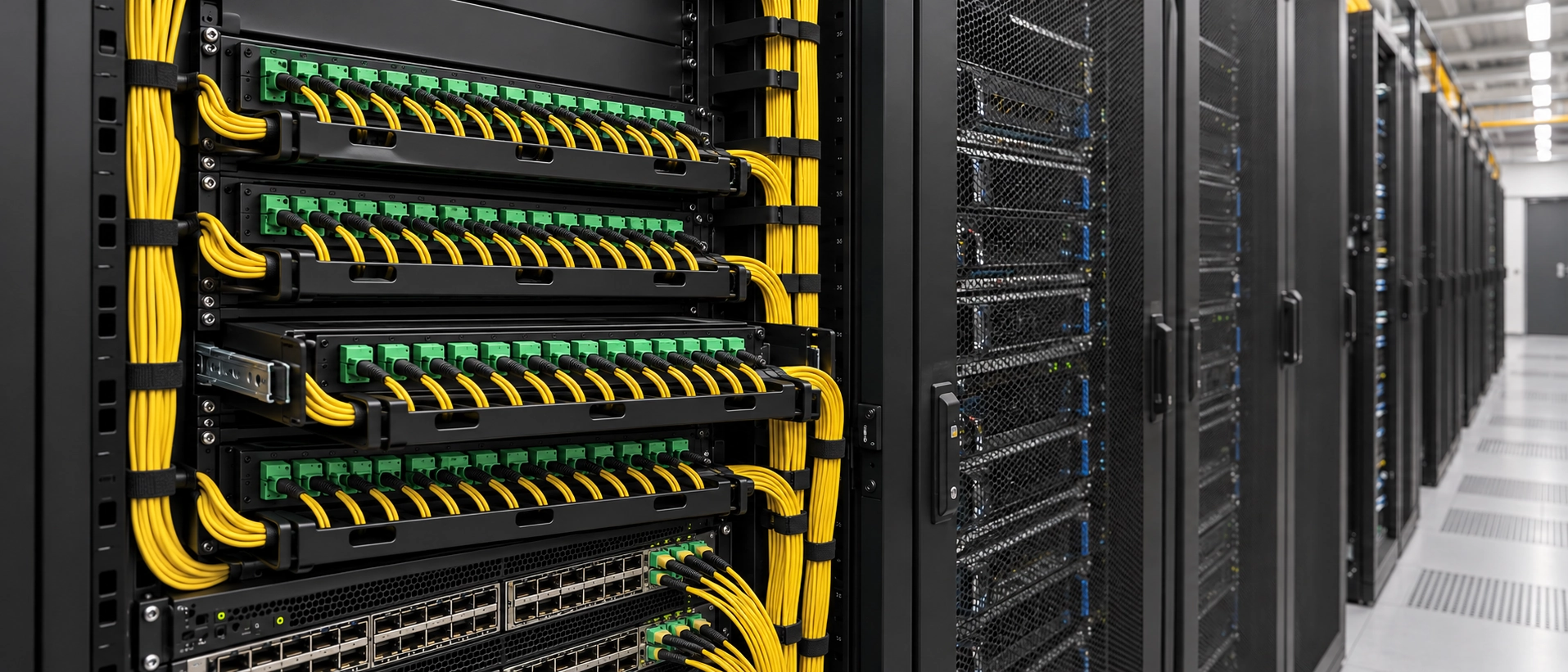
Estimate Fiber Count from the Rack Up
Start from the network design you already have, not from an industry multiplier. Four terms keep the calculation honest:
- Active fibers: the fibers a transceiver actually uses on a link.
- Terminated fiber positions: the positions presented at the panel, including any left unused by the link type.
- Rated capacity: the vendor's maximum fibers per rack unit (RU) for one connector format, with every port populated.
- Usable capacity: what you will actually populate after port mapping, growth allowance and service access.
This sequence produces an RU budget you can defend in a design review:
- Links and fibers per link. Count the optical links leaving each compute rack, and use each transceiver's fiber count. Eight-fiber parallel applications (SR4- and DR4-class) use 8 fibers. 800G parallel optics use either a 16-fiber MPO (8 transmit and 8 receive at 100G per lane) or an 8-fiber MPO (4 transmit and 4 receive at 200G per lane) (Fluke Networks). Count each link type separately.
- Fibers per rack. In the FBA interview, Sullivan gives just over 1,000 fibers leaving a single NVIDIA server rack as an example (FBA).
- Fibers per row. Sullivan expects 8–12 racks per row because of power density. Using 10 racks, he estimates that a middle-of-row network rack can take in more than 10,000 fibers.
- Port mapping. Decide how many links each connector port will carry. This depends on the trunk, harness or conversion module between the transceiver and the panel, not on the connector alone.
- Ports and rack units. For one link type and one connector configuration:
Required ports = ceil(links ÷ links carried per port)
Nominal RU = ceil(required ports ÷ ports per RU at rated density)If the row mixes link types or connector formats, calculate each group separately and then add the results.
-
Growth allowance. Add the spare and growth capacity your design standard requires.
-
Fit check. Compare the result with the RU actually left in the network rack after switches, power and horizontal cable managers
Illustrative theoretical rack units at published maximum fiber densities
The table below assumes one row lands 10,000 active fibers in its network rack (the FBA illustrative figure), that every link is an 8-fiber link (1,250 links), and that there is no growth allowance. It uses one vendor's published 1U ratings, plus a VSFF patch panel rating published by another manufacturer. Every port is assumed to be populated.
| Connector format (published rating) | Max fibers per 1U | Ports per 1U | RU if every fiber position is used | RU if each port carries one 8-fiber link |
|---|---|---|---|---|
| LC duplex (Legrand Q-Series HD) | 96 | 48 | 105 | 105 |
| MDC duplex (Legrand Q-Series HD) | 192 | 96 | 53 | 53 |
| MPO-24 (Legrand Q-Series HD) | 768 | 32 | 14 | 40 |
| 16-fiber MMC (Leviton STRATA 216-port patch panel) | 3,456 | 216 | 3 | 6 |
Sources: Legrand product page; Leviton MMC connectivity page. Calculation: RU = required ports ÷ ports per 1U, rounded up.
How to read the table:
- Duplex formats (LC, MDC) carry an 8-fiber link as four duplex ports, so the two columns match and no fiber positions are stranded.
- MPO-24 reaches 14 RU only if a harness or conversion module maps three 8-fiber links onto each 24-fiber port. If each port carries one 8-fiber link, 16 of its 24 positions sit unused and the requirement rises to 40 RU.
- 16-fiber MMC reaches 3 RU only when each port carries two 8-fiber links or one 16-fiber 800G link. Treat the Leviton figure as a patch panel rating, not as a general rating for a 1U enclosure.
- Each row is a separate scenario. The ratings come from specific products, so the RU figures are not interchangeable. A connector format only reaches its rating in an enclosure, cassette or adapter panel built for it, and the port mapping in the last two columns depends on harnesses or modules that must exist for your transceivers.
The LC row shows why connector choice comes first. If the row's patching has to sit in one network rack, 105 RU of LC-only patching will not fit, and multi-fiber or VSFF connectivity at the enclosure becomes necessary. Designs that spread patching across several racks, or run trunks directly to equipment, change that conclusion.
Rated figures also vary by product for the same connector. For example, FS lists its FHD 1U sliding enclosure at 144 LC fibers (FS), and T&S lists its UltraX 1U enclosure at up to 256 fibers with MDC-MPO/MTP or SN-MPO/MTP cassettes or adapter panels (T&S). This is a comparison table, not a bill of materials. The next two sections explain why the usable figure is usually lower.
Connector Format Sets the Ceiling
The connector family decides the maximum density an enclosure can reach. The port mapping decides how much of that density your links actually use.
LC vs MPO-8, -12, -16 and -24
LC duplex is the easiest format to handle, clean and test, but on its own it cannot reach AI row densities in a single rack. Most of the density comes from MPO trunking, and the MPO fiber count should match the transceivers it serves.
When an 8-fiber application runs over a 12-fiber MPO, the four middle positions go unused (Fluke Networks). In a Base-12 plan carrying 8-fiber links, that strands a third of the terminated positions on those links. The 800G step does not have a single answer. At 100G per lane, 800G parallel optics use a 16-fiber MPO, so a Base-8 or Base-12 plan will not carry over directly. At 200G per lane, 800G can run over an 8-fiber MPO. Plan enclosure ports in the base that matches your dominant transceiver interface, and check what your planned 800G or 1.6T optics do to that plan before you fix the enclosure layout.
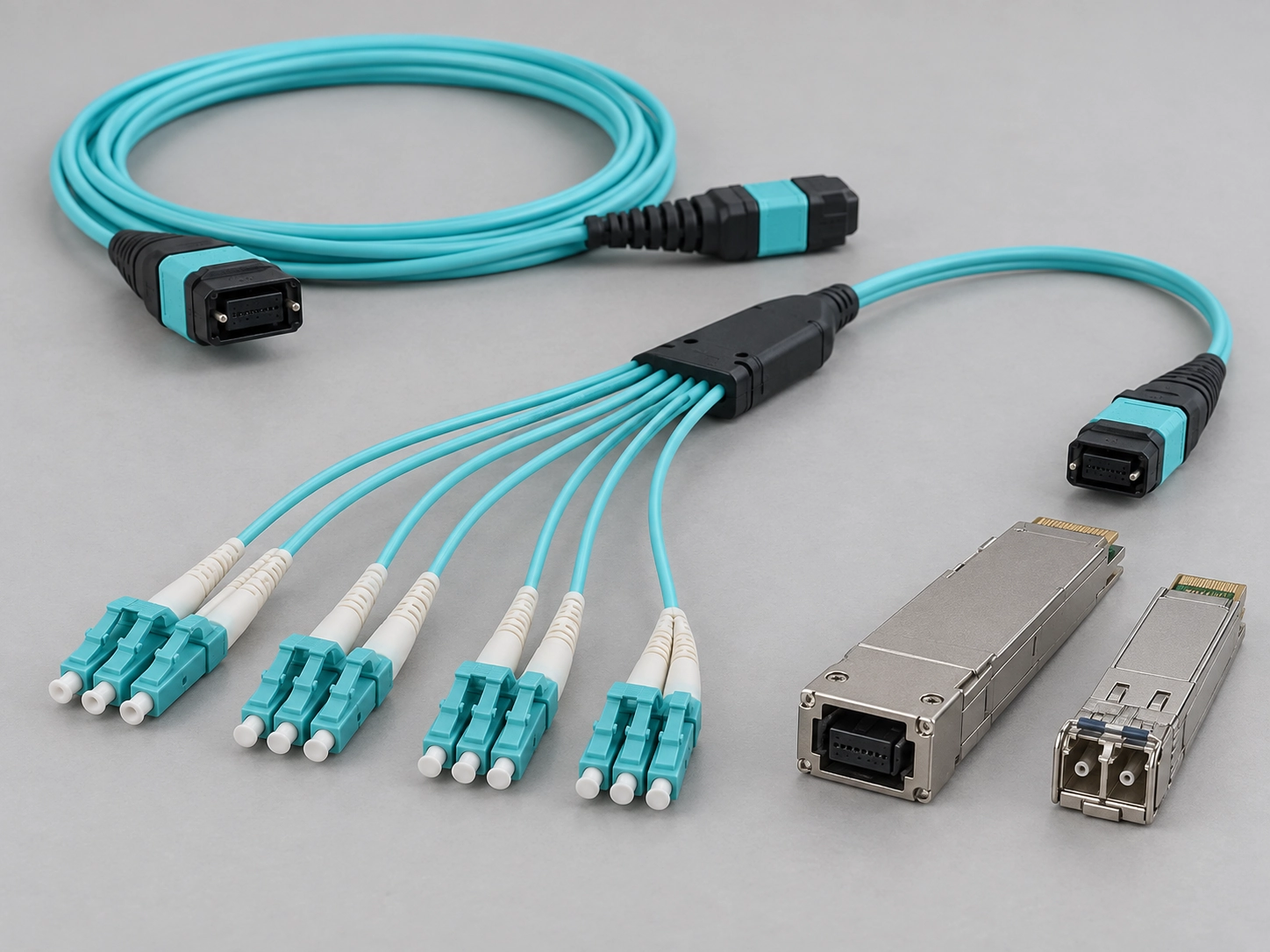
Connector gender is the other common trap. All MPO equipment ports are male (pinned), so a cord that connects to equipment must be female (unpinned). Wherever two MPO plugs mate, one must be pinned and the other unpinned. For module-level options, including 8-, 12- and 24-fiber breakout configurations and their polarity, see our guide to MPO breakout modules.
VSFF: SN, MDC, SN-MT and MMC
Very small form factor (VSFF) connectors raise the ceiling further. Fluke Networks reports that a 1U patch panel holds 144 CS duplex ports, against 96 for the highest-density LC panels, and that 216 SN-MT or MMC connectors fit in the space of 80 MPO-16 connectors (Fluke Networks). Those are panel-space comparisons, not measured enclosure capacities.
At the top end, Leviton rates its STRATA 216-port MMC patch panel at 3,456 fibers in 1RU using 16-fiber MMC. It separately lists IDX enclosures with capacity for 6,912 fibers for splicing or interconnect (Leviton press release, November 2025). Those are two different products, and both figures are manufacturer ratings that have not been independently verified.
The trade-off is interoperability. MDC and SN connectors are not intermateable, so choosing VSFF means choosing one family for the site and enforcing it across panels, cords, test leads and spares.
Rated Capacity vs. Serviceable Capacity
A rated figure tells you how many fibers fit in an enclosure. It does not tell you whether a technician can clean, inspect and re-patch one port without disturbing its neighbors. In a fully populated AI row, that is usually the binding constraint.
- Cleaning and inspection. On multi-fiber end faces, contaminants can move from one fiber to another within the same array during cleaning, and the risk grows with array size. Fluke Networks recommends inspecting each end face, cleaning it if needed and inspecting it again, using the cleanliness grading criteria in IEC 61300-3-35 (Fluke Networks). IEC 61300-3-35 is an end-face acceptance criterion, not a link-loss test. Check that your cleaners and inspection probes reach both the front and the rear of each adapter.
- Testing. VSFF families do not share one test method. According to Fluke Networks, CS and SN duplex connectors may require the three-jumper reference method, and SN-MT requires the three-jumper method with a Y breakout reference cord. MDC, and 16- and 24-fiber MMC, can be tested with a one-jumper reference on Fluke testers fitted with matching adapters (Fluke Networks). Confirm that your own test equipment and reference cords support the connector before you commit to it.
- Finger and tool access. A port that can only be released by disturbing the cords around it will slow every move, add and change.
- Bend radius. There is no single safe number for every product. Take the minimum static and dynamic bend radius from the fiber category (for example, the ITU-T G.657 class) and the cable manufacturer's datasheet. Then check that routing paths, sliding trays and cable managers respect it at full fill and across full tray travel.
- Mechanical access. Before accepting a layout, check that each of the following works at full fill:
○Trays slide through their full travel with all cords attached.
○Slack storage absorbs that travel without tightening any cord.
○Rear access exists for trunk changes.
○Horizontal and vertical cable managers have room for the full cord count.
○Doors and covers close without pressing on cords.
○Cords stay within the enclosure's own routing guides.
Use the enclosure manufacturer's documentation for these limits rather than a general rule of thumb.
From rated to usable rack units
The checks above turn into an RU figure in three steps:
- Set usable ports per RU. Build or request a full-fill mock-up of the chosen enclosure and connector configuration, then record how many ports per RU your team can clean, inspect, test and re-patch without disturbing neighboring cords. If the enclosure is modular, count in whole cassettes or adapter panels.
- Recalculate. Usable RU = ceil(required ports including growth ÷ usable ports per RU).
- Record the reason. Note which check limited the fill (tool access, tray travel, cable-manager space or test access), so the figure can be reviewed when the connector or enclosure changes.
For illustration only, take the MPO-24 case from the table: 417 ports at three 8-fiber links per port, rated at 32 ports per RU. If the mock-up showed that only 24 ports per RU could be serviced, the requirement would rise from 14 RU to ceil(417 ÷ 24) = 18 RU. With one link per port, it would rise from 40 RU to ceil(1,250 ÷ 24) = 53 RU. The figure of 24 is an assumption chosen to show the arithmetic, not a recommended fill level. Your own value has to come from the mock-up and your design standard. Our guide to fiber termination box selection covers routing limits and how to record acceptance checks.
Single-Mode, End-Face and Polarity Inside a Dense Enclosure
The adapters inside the enclosure have to match the optics. Three decisions should be fixed in the specification rather than left to installers.
Fiber type. In the FBA interview, Sullivan says hyperscale data centers now use single-mode fiber throughout their buildings. The article adds that in-building optics use DR4 transceivers at 1310 nm (FBA). That is one manufacturer's view of hyperscale sites, and enterprise and mid-sized AI clusters may still use multimode. Specify fiber type from the transceivers you will deploy, not from the trend.
End face. Take APC or UPC from the transceiver and cable specifications, and check it at every mated interface: the two end faces that meet in each adapter must have the same polish, and an APC end face must never be mated to a UPC end face. The channel as a whole does not have to use one polish. Standard single-mode MPO connectors use APC end faces to meet tighter return-loss requirements (Siemon), and a single-mode cassette can present MPO/APC at the rear and LC/UPC or LC/APC at the front, with the transition made inside the module. Record the polish on both sides of every interface in the port map, so a cord of the wrong polish is never plugged into a port.
Polarity. ANSI/TIA-568.3-E, the optical fiber cabling component standard, was published in September 2022 (TIA). It keeps connectivity Methods A, B and C and adds two "universal" methods, U1 and U2. According to TIA's Fiber Optics Tech Consortium, only Methods A, B and C support array (parallel) polarity, while U1 and U2 are for multiple-duplex implementations only (TIA FOTC). U1 and U2 both use Type-B array trunks and A-to-B duplex patch cords, and they differ in adapter type and fiber transition (Siemon). Each method needs matching trunk and patch-cord types.
Method C needs particular care. Its trunk flips fiber pairs inside the cable, which suits duplex channels. The FOTC summary also describes a Method C array implementation, with Type-A array adapters, a Type-B array patch cord at one end and a Type-C array patch cord at the other. Fluke Networks, however, does not recommend Method C for parallel applications (Fluke Networks). Do not treat Method C as a default for 8- or 16-fiber parallel optics. If a design does use it for array links, document the end-to-end fiber map, including both array patch-cord types, and verify it before ordering. Choose one method per site and write it into the enclosure specification, together with connector gender at each interface. Our article on MPO adapter types and polarity covers key orientation and adapter choices in more detail.
Enclosure Form Factor: Fixed vs Sliding, Cassette vs Panel, Splice vs Pre-Terminated
In an AI row, form-factor choices matter mainly for how they affect access and loss budget at high fill:
| Choice | Favors | Watch for |
|---|---|---|
| Sliding tray | Front access to dense 1U ports (FS's FHD 1U enclosure is a sliding design) | Bend radius and slack through full tray travel; cords must move with the tray |
| Fixed tray | Fewer moving parts, simpler routing | Needs rear access for changes; check rear clearance in the rack |
| Cassette (MPO to LC or VSFF) | Factory-terminated breakout; swap a whole module | Adds mated connections to every channel; count each one in the loss budget |
| MPO adapter panel | Fewer connections, highest density for parallel optics | Polarity and gender must be right end to end |
| Pre-terminated trunks | Moves termination work to the factory | Requires accurate length planning before ordering |
| Field splicing | Tolerates late length changes | Needs splice trays, space and site labor |
Some enclosures accept both cassettes and adapter panels. The T&S UltraX 1U, for example, takes four module cassettes or four adapter panels. Its product page is inconsistent about whether the tray is fixed or sliding, so confirm that with the vendor (T&S). For general patch panel and ODF selection outside AI rows, see how to choose an optical fiber patch panel or ODF.

A Spec Sheet to Send Your Supplier
A supplier can only quote and configure correctly if the request states the fields below. Each one maps to a decision earlier in this guide:
| Field | What to state | Why it matters |
|---|---|---|
| Links per compute rack and racks per row | Link counts by type, plus growth allowance | Sizes the enclosure and trunk count |
| Transceiver interface per link type | Fibers per link and lane rate (for example, 8-fiber at 200G per lane, or 16-fiber at 100G per lane) | Sets the MPO base and port mapping |
| Connector family and fiber count | LC, MPO-8/12/16/24, MDC, SN or MMC | Sets the density ceiling; VSFF families do not intermate |
| Port map | End-to-end fiber mapping from transceiver to panel port, including unused positions | Lets the supplier check breakouts and stranded fibers |
| Fiber type and end face | Single-mode or multimode grade; APC or UPC on both sides of each mated interface | Must match the transceivers; APC and UPC must never mate directly |
| Polarity method | TIA-568.3-E Method A, B or C for array or duplex links; U1 or U2 for multiple-duplex links only. If Method C carries parallel optics, state both array patch-cord types | Determines trunk, cassette and cord types |
| Connector gender at each interface | Pinned or unpinned | Equipment MPO ports are pinned |
| RU budget and enclosure type | 1U/2U/4U; fixed or sliding; cassette or adapter panel | Must fit what is left in the network rack |
| Rack elevation and access | Rack elevation drawing with the RU left after switches, power and cable managers; front or rear access to each enclosure; tray travel and slack length; horizontal and vertical cable-manager capacity | Lets the supplier check that cords, trays and managers fit at full fill |
| Planned fill level | Usable ports per RU from the full-fill check vs rated maximum, and the check that limited it | Keeps the design serviceable |
| Channel loss budget | Maximum channel loss per link type, and the number of mated connections in each channel | Lets you check that the cassettes and cords fit the budget |
| Component loss and test documentation | Maximum insertion loss and what it is measured on (mated pair, connector or adapter), return loss, test wavelength and reference method, per-unit reports tied to serial numbers or the sampling basis, and the report revision | Avoids counting the same interface twice and ties each report to the parts delivered |
| End-face inspection standard | IEC 61300-3-35 | Sets the end-face acceptance criterion |
| Document revision | Drawing and BOM revision numbers | Keeps the quote, samples and installation on the same version |
For reference, Evolux publishes figures for specific components on its data center cabling page:
- 8-fiber OM4 MTP-to-4×LC breakout: MTP insertion loss of 0.35 dB maximum and LC insertion loss of 0.2 dB or less.
- MTP/MPO adapter: insertion loss of 0.2 dB maximum and at least 1,000 mating cycles.
- Interfaces: IEC 61754-7 and TIA 604-5 (MPO/MTP), and IEC 61754-20 (LC).
The page does not state whether those insertion-loss values apply to a mated pair, a single connector or the adapter alone. Confirm the measurement basis and reference method before entering them in a channel loss budget.
Evolux supplies the MPO/MTP trunks, MTP-to-LC breakout cords, LC patch cords and MPO/MTP adapters that go inside an enclosure. It does not manufacture the third-party enclosures named in this guide. If you have a draft bill of materials, you can submit it for an MPO/MTP configuration review. The review checks link role, connector type and polish, fiber count, gender, key orientation, polarity, fiber grade and lengths against your topology. It covers the MPO/MTP components Evolux supplies; it does not certify the capacity or fit of a third-party enclosure.
Size From the Rack, Then Discount for Service
The 10–20x figure explains why fiber optic enclosures for AI rows are under pressure, but it cannot size them. Count links from the rack up, map them to connector ports, and convert the ports to rack units for each connector format. Then plan the fill level your team can still clean, test and re-patch. Lock fiber type, end face, polarity, gender and the port map into the specification before any hardware is ordered.