Which Multi-Gig Speed Does Your Network Need?
A 5G Ethernet port - formally known as 5GBASE-T under the IEEE 802.3bz standard - delivers 5 gigabits per second over standard Cat5e or Cat6 copper cabling, sitting between the widely adopted 2.5 Gigabit Ethernet and the higher-cost 10 Gigabit Ethernet tier. For anyone building or upgrading a wired network today, the question is no longer whether Gigabit Ethernet is fast enough. In most environments, it isn't - not when WiFi 6E access points push 2.4 Gbps, NAS devices ship with multi-gig NICs, and ISPs in major metro areas now offer 2-gig residential plans. The real question is how far beyond 1 Gbps you need to go, and what that upgrade actually costs in hardware, cabling, and complexity.
This guide walks through the practical differences between 1G, 2.5G, and 5G Ethernet ports, what infrastructure each one requires, and how to decide which speed tier fits your specific setup - whether that is a home office, a small business, or a multi-AP campus deployment. The recommendations here reflect common patterns from SMB and enterprise network deployments using IEEE 802.3bz-compliant equipment.

What Multi-Gig Ethernet Actually Means
For two decades, Gigabit Ethernet was the ceiling for copper-based local networking. The 1000BASE-T standard, ratified back in 1999, delivered 1 Gbps over Cat5e cabling and became the default port speed on everything from consumer routers to enterprise switches. It worked. For a long time, nothing in the typical network generated enough traffic to saturate it.
That changed when wireless speeds overtook wired backhaul. WiFi 5 (802.11ac) could already exceed 1 Gbps aggregate throughput. WiFi 6 (802.11ax) pushed theoretical rates past 9.6 Gbps. Suddenly the bottleneck was behind the AP, not in front of it: an access point capable of 2+ Gbps was being fed by a single Gigabit uplink, and every client on the wireless side shared that 1G ceiling.
The IEEE responded in 2016 with 802.3bz, which defined two new speed tiers - 2.5GBASE-T and 5GBASE-T. The critical design choice was backward cabling compatibility. Both standards were engineered to run over the same Cat5e and Cat6 cables already installed in most buildings, using the same RJ45 connectors. No rewiring. No new patch panels. That single decision is what made multi-gig adoption practical - and it is the reason you see 2.5G ports appearing on mainstream motherboards, WiFi routers, and NAS devices today.
Quick Decision Framework
Before diving into the details, here is the short version. In most SMB and home network deployments, the decision comes down to four patterns:
- Mostly office devices (printers, VoIP, basic workstations): Stay at 1G - these devices lack multi-gig NICs and will negotiate at Gigabit regardless.
- WiFi 6/6E access points or a NAS with multi-gig ports: Upgrade to 2.5G - it eliminates the Gigabit bottleneck at the lowest incremental cost.
- Heavy file transfers, video editing, or high-density AP aggregation: Step up to 5G - the extra throughput matters when sustained data movement is the norm.
- Floor-to-floor links, inter-building backbone, or distances beyond 100 m: Fiber uplinks - copper tops out at 100 meters; fiber handles 10G+ over kilometers.
The rest of this guide explains the reasoning and tradeoffs behind each of those choices.
1G vs. 2.5G vs. 5G: Where the Differences Land
The raw speed numbers are straightforward - 1,000 Mbps, 2,500 Mbps, 5,000 Mbps - but the real differences show up in infrastructure requirements, heat output, cost, and what each tier actually enables in practice.
| Parameter | 1G (1000BASE-T) | 2.5G (2.5GBASE-T) | 5G (5GBASE-T) |
|---|---|---|---|
| Max throughput | 1 Gbps | 2.5 Gbps | 5 Gbps |
| IEEE standard | 802.3ab (1999) | 802.3bz (2016) | 802.3bz (2016) |
| Minimum cabling | Cat5e | Cat5e (up to 100 m) | Cat5e (up to 100 m); Cat6 recommended |
| Connector | RJ45 | RJ45 | RJ45 |
| Power consumption | ~0.5 W per port | ~1–2 W per port | ~2–4 W per port |
| Switch port cost (approx.) | $2–5 | $8–15 | $15–30 |
| Backward compatible | 10/100 Mbps | 10/100/1000 Mbps | 10/100/1000/2500 Mbps |
| Typical use case | General office, legacy devices | WiFi 6 AP uplink, NAS, home prosumer | Video editing, multi-stream 4K, high-density AP |
Cost estimates reflect approximate market pricing as of early 2026 for managed and unmanaged multi-gig switch ports. Actual pricing varies by vendor, port count, and feature set.
A couple of points that tend to matter more than the raw specs. First, 2.5G has become the de facto standard multi-gig tier in consumer and prosumer hardware. Most WiFi 6 and WiFi 6E routers now ship with at least one 2.5G WAN port. Many mid-range NAS devices include 2.5G NICs. Motherboard manufacturers have largely moved from 1G to 2.5G on mainstream desktop boards since around 2022. This adoption curve means 2.5G gear is easy to source and increasingly affordable.
Second, 5G Ethernet occupies a narrower niche - at least for now. It appears in higher-end managed switches, enterprise access points that aggregate traffic from multiple SSIDs, and workstations doing sustained file transfers to network storage. The hardware exists and works well, but the price premium over 2.5G remains noticeable. For many setups, 2.5G already eliminates the Gigabit bottleneck without requiring the additional investment.
Cabling: What You Already Have Probably Works
This is the part that often surprises people planning a multi-gig upgrade. Both 2.5GBASE-T and 5GBASE-T were specifically engineered to operate over installed Cat5e cabling at the full 100-meter distance defined by structured cabling standards. Cat6 provides additional headroom and is generally recommended for 5G runs in environments with higher crosstalk - bundled cables in tight conduit, for instance - but it is not strictly required by the 802.3bz specification.
The practical implication: if your building was wired with Cat5e anytime in the last 20 years, you can likely upgrade from Gigabit to 2.5G or 5G by swapping switch and endpoint hardware alone. No pulling new cable. No re-terminating patch panels. For typical office environments and residential installations, this makes multi-gig one of the most cost-effective speed upgrades available - you are buying ports, not infrastructure.
That said, cable quality matters more at higher speeds than it does at Gigabit. Poorly terminated jacks, kinked cables, or runs that just barely make the 100-meter limit at 1G may not negotiate reliably at 5G. In SMB deployments we have troubleshot, the most common culprit behind intermittent link drops after a multi-gig upgrade is a worn patch cord in the rack - not the horizontal cabling. If you see negotiation issues, test the suspect run with a cable certifier rated for the target speed before replacing switch hardware.
When Copper Runs Out of Road: The Role of Fiber Uplinks
Multi-gig copper handles the access layer well, but every network eventually needs a backbone that copper cannot provide. As access-layer speeds climb from 1G to 2.5G and 5G, the aggregation bandwidth required between switches and the core grows proportionally. A fully loaded 24-port 2.5G switch can generate up to 60 Gbps of aggregate traffic - and that traffic needs a path to the core.
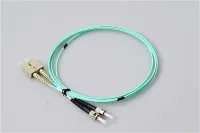
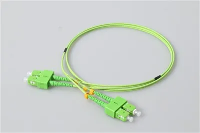
This is where fiber uplinks earn their place. Managed multi-gig switches typically include one or two SFP+ or SFP28 slots that accept fiber optic transceivers. For runs within a data closet or between adjacent racks, OM3 or OM4 multimode fiber paired with short-reach optics handles 10G comfortably at distances up to 300–400 meters. Pre-terminated LC-to-LC fiber patch cords are the standard interconnect for these links.
For floor-to-floor or building-to-building backbone runs, single-mode fiber with OS2 specification is the default. Paired with LR (Long Reach) optics, single-mode supports 10G over distances up to 10 km - well beyond what any copper standard can deliver. The choice between single-mode and multimode affects every component in the link: transceivers, patch cords, adapters, and termination hardware all need to match the fiber type.
A tiered architecture is common in practice: multi-gig copper at the access layer (2.5G or 5G ports feeding APs and desktops), with fiber uplinks aggregating that traffic to the distribution or core layer at 10G or 25G. This approach keeps cost per port low at the edge while providing the bandwidth headroom where it matters most - at the aggregation point. Connector quality matters here; poorly polished or contaminated fiber optic patch cords introduce insertion loss that can erode link margin on longer runs.

Upgrade Mistakes That Waste Budget
A few patterns come up consistently in multi-gig deployments. The most common: buying a multi-gig switch but connecting it with Cat5 (not Cat5e) patch cords. Original Cat5 was rated for 100 MHz and designed for 100BASE-TX. It generally will not support 2.5GBASE-T reliably, and 5GBASE-T is out of the question. Cat5e (with tighter crosstalk specifications) is the minimum. Cat6 (250 MHz) provides better margin for 5G, particularly on longer runs. It is worth checking every link in the chain - including that patch cord someone pulled from the back of a drawer.
Another frequent issue: assuming all ports on a multi-gig switch run at the same speed. Many affordable multi-gig switches mix port types - four 2.5G ports plus eight 1G ports, for example. Read the port specifications before deploying. Assign the multi-gig ports to the devices that actually benefit: APs, NAS, editing workstations. Connecting a laser printer to a 2.5G port is not going to speed up anyone's print job.
Heat is easy to underestimate. Multi-gig PHY chips draw more power than Gigabit-only silicon, and that power becomes heat. Fanless desktop switches that perform fine at 1G can throttle or exhibit port instability when all ports negotiate at 2.5G or 5G under sustained load. If silent operation matters in your environment - a conference room, a home office - look for switches explicitly designed for fanless multi-gig operation with adequate thermal dissipation.
Where Each Speed Tier Fits in Practice
Gigabit (1G) remains the right call for endpoints that do not generate or consume heavy traffic. Printers, IP phones, basic workstations, IoT sensors - these devices typically ship with 1G NICs and have no use for higher port speeds. In most office networks, the majority of wall jacks still connect to Gigabit devices, and that is unlikely to change in the near term.
2.5G is the sweet spot for most upgrades today. If you are deploying WiFi 6 or WiFi 6E access points, a 2.5G uplink lets the AP operate closer to its rated throughput instead of being throttled by a 1G wired connection. The same applies to NAS devices, media servers, and workstations that regularly move files in the multi-gigabyte range. In most SMB environments, 2.5G provides the clearest performance gain per dollar.
5G makes sense for more demanding scenarios: high-density wireless deployments where multiple APs aggregate heavy client traffic, video editing workflows pulling large project files from network storage in real time, or server-to-switch links that need more than 2.5G but where 10G would be over-provisioning for the workload. In our experience, 5G port adoption tends to be strongest in managed switches aimed at SMB and mid-enterprise environments where the budget allows for targeted upgrades rather than a full 10G buildout.
Frequently Asked Questions
Q: Do I Need New Cables To Use A 2.5G Or 5G Ethernet Port?
A: In most cases, no. Both 2.5GBASE-T and 5GBASE-T are designed to operate over existing Cat5e cabling up to 100 meters, per the IEEE 802.3bz specification. Cat6 is recommended for 5G in environments with dense cable bundles or runs near the distance limit. Original Cat5 cabling (pre-Cat5e) generally lacks the crosstalk performance needed for reliable multi-gig signaling - though results can vary depending on cable age, termination quality, and run length.
Q: Is A 5G Ethernet Port The Same As 5G Cellular?
A: No. These are completely unrelated technologies that happen to share the "5G" label. A 5G Ethernet port provides 5 Gbps wired connectivity per IEEE 802.3bz. 5G cellular (NR) is a wireless mobile broadband standard defined by 3GPP. Different speeds, different physical media, different standards bodies.
Q: Can A 5G Port Work With A Device That Only Supports Gigabit?
A: Yes. Multi-gig ports are backward compatible by design. A 5GBASE-T port will auto-negotiate down to 2.5G, 1G, 100M, or 10M based on the connected device's capability. No manual configuration is needed - the link negotiation is automatic.
Q: When Does Fiber Make More Sense Than Multi-Gig Copper?
A: Fiber tends to be the better choice when runs exceed 100 meters, when you need speeds above 5 Gbps (10G, 25G, or higher), or when electromagnetic interference is a concern - factory floors, hospital imaging suites, and similar environments. It is also the default medium for switch-to-switch uplinks in any network where the access layer runs at 2.5G or higher, because aggregated traffic typically demands 10G+ backbone capacity.
Q: What Is The Difference Between 2.5G And 5G In Terms Of Real-World Benefit?
A: For most home and small office setups, 2.5G eliminates the Gigabit bottleneck at the lowest cost and with the widest hardware availability. The jump from 2.5G to 5G doubles throughput, which matters for sustained large-file transfers (video production, database replication) or for access points aggregating heavy client traffic. If your daily workflow does not involve moving multi-gigabyte files on a regular basis, 2.5G often delivers the best return on the upgrade investment.
Q: Planning Your Multi-Gig Upgrade
A: Whether you are moving from Gigabit to 2.5G at the access layer, deploying 5G ports for high-bandwidth workstations, or adding fiber uplinks to support the increased aggregation load, the infrastructure decisions you make now will shape your network's performance for years. Getting the right mix of copper port speeds, cabling, and fiber optic interconnects depends on your specific traffic profile, distance requirements, and growth plans. If you are working through those tradeoffs and need help selecting the right patch cords, connectors, or fiber type for your uplink design, our engineering team can walk through the options with you.