Hey there! As a supplier of Fiber Optic PLC Splitters, I often get asked about how to measure the spectral response of these nifty devices. So, I thought I'd share some insights on this topic.
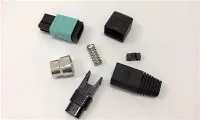
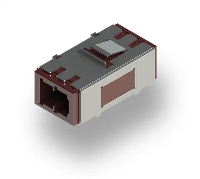
First off, let's understand what a Fiber Optic PLC Splitter is. It's a key component in fiber optic networks, used to split an optical signal into multiple outputs. We offer a range of these splitters, like the 1x64 Plc Fiber Splitter, Steel Tube, Bare Fiber 250µm, Sc Apc, Singlemode, the 1x16 Plc Fiber Splitter, Steel Tube, Bare Fiber 250µm, Sc Upc, Singlemode, and the 1x4 Plc Fiber Optic Splitter.
Why Measure the Spectral Response?
Measuring the spectral response of a Fiber Optic PLC Splitter is crucial. It helps us understand how the splitter performs across different wavelengths. This is important because in real - world applications, fiber optic signals can operate at various wavelengths. By knowing the spectral response, we can ensure that the splitter will work well in different network setups.
Equipment Needed
To measure the spectral response, you'll need a few key pieces of equipment:
- Light Source: A tunable laser source is ideal. It allows you to vary the wavelength of the light being sent into the splitter. This way, you can test the splitter's performance at different wavelengths.
- Power Meter: This device measures the power of the light coming out of each output port of the splitter. You'll need a power meter with high accuracy to get reliable results.
- Optical Fiber Cables: Good - quality optical fiber cables are essential for connecting the light source, splitter, and power meter. Make sure the cables are properly terminated to avoid signal losses.
The Measurement Process
- Setup: First, connect the tunable laser source to the input port of the Fiber Optic PLC Splitter using an optical fiber cable. Then, connect each output port of the splitter to a power meter using separate optical fiber cables.
- Initial Checks: Before starting the measurement, make sure all the connections are secure. Check the power meter to ensure it's calibrated correctly. You can also perform a quick test with a single wavelength to make sure everything is working as expected.
- Wavelength Sweep: Start the tunable laser source and set it to the starting wavelength of your measurement range. For example, you might start at 1260 nm. Measure the power at each output port using the power meters. Then, increment the wavelength by a small step, say 1 nm, and repeat the power measurement at each output port. Keep doing this until you reach the end of your measurement range, which could be 1625 nm.
- Data Recording: As you measure the power at each wavelength and output port, record the data. You can use a spreadsheet or a data - logging software to keep track of the values. This data will be used to plot the spectral response curve.
- Calculations: Once you have all the data, you can calculate the insertion loss and uniformity for each wavelength. Insertion loss is the difference between the input power and the output power at a particular wavelength. Uniformity is the difference between the maximum and minimum output powers at a given wavelength.
Plotting the Spectral Response Curve
After collecting all the data, it's time to plot the spectral response curve. You can use software like Excel or specialized optical measurement software. On the x - axis, plot the wavelength, and on the y - axis, plot the insertion loss or output power. This curve will give you a visual representation of how the splitter performs across different wavelengths.
Analyzing the Results
- Insertion Loss: Look at the insertion loss values at different wavelengths. A good Fiber Optic PLC Splitter should have low insertion loss across the operating wavelength range. High insertion loss can indicate problems with the splitter, such as poor manufacturing quality or damage.
- Uniformity: Check the uniformity values. A uniform output power across all output ports is desirable. If there is a large difference in output power between ports, it could lead to signal imbalance in the network.
- Peaks and Dips: Look for any peaks or dips in the spectral response curve. Peaks could indicate resonance effects, while dips could be due to absorption or interference. These irregularities can affect the performance of the splitter and should be investigated further.
Tips for Accurate Measurement
- Environmental Conditions: Keep the measurement environment stable. Temperature and humidity can affect the performance of the splitter and the measurement equipment. Try to perform the measurement in a controlled environment.
- Cable Management: Make sure the optical fiber cables are not bent or twisted too much. Bending the cables can cause signal losses and affect the measurement results.
- Calibration: Regularly calibrate the tunable laser source and power meters to ensure accurate measurements.
Quality Assurance
As a supplier, we perform these spectral response measurements on all our Fiber Optic PLC Splitters before shipping them to our customers. This ensures that the splitters meet the required quality standards. We also keep detailed records of the measurement results for each splitter, which can be provided to our customers upon request.


Conclusion
Measuring the spectral response of a Fiber Optic PLC Splitter is a crucial step in ensuring its performance in fiber optic networks. By following the steps outlined above, you can accurately measure the splitter's performance across different wavelengths. Whether you're a network installer, engineer, or simply interested in fiber optics, understanding how to measure the spectral response will help you make informed decisions when choosing a splitter.
If you're in the market for high - quality Fiber Optic PLC Splitters and want to learn more about our products, feel free to reach out to us for a purchase consultation. We're here to help you find the right splitter for your needs.
References
- Fiber Optic Communication Technology Handbook
- Optical Fiber Measurement Standards