Somewhere on your building's ceiling, a wireless access point needs both a network connection and a power source - but the nearest outlet is two rooms away. Running dedicated electrical wiring would blow the budget. This is the exact problem a PoE injector solves: it merges data and electrical power onto a single Ethernet cable. And when that cable connects back to a fiber optic backbone - as it does in most modern commercial networks - the combination of long-haul fiber and last-mile PoE creates one of the most flexible deployment architectures available today.
What Exactly Is a PoE Injector?
A PoE injector, also referred to as a midspan or PoE adapter, inserts electrical power into a standard Ethernet cable. Governed by IEEE 802.3af, 802.3at, and 802.3bt standards, it sits between a non-PoE network switch and a powered device (PD) like an IP camera, VoIP phone, or wireless access point. It accepts two inputs - Ethernet data from the switch and AC power from a wall outlet - then outputs a single cable carrying both power and data to the endpoint.
Millions of legacy Ethernet switches remain in service. Replacing them all with PoE-capable models would be wasteful. A PoE injector bridges the gap at a fraction of the cost, extending the life of existing equipment while enabling modern powered devices.
How a PoE Injector Works
A typical PoE injector features two RJ45 Ethernet ports: Data In (connected to the upstream switch or router) and PoE/Data Out (connected to the powered device). A third connection - the AC power cord - plugs into a standard wall outlet.
Internally, an AC-to-DC converter transforms wall outlet power into regulated direct current, typically 48–57V for standards-compliant models. This DC power merges with the Ethernet data signal on the outgoing cable. The powered device at the far end separates power from data internally, using each for its respective purpose.
Before power delivery begins, IEEE-compliant injectors perform a handshake process: the injector sends a low-voltage probe down the cable, and if a PoE-compatible device responds with the correct signature, the two negotiate exact wattage. Only after successful negotiation does power flow. No valid response means no power leaves the injector - protecting non-PoE equipment from accidental damage.
Active vs. Passive PoE Injectors
This distinction can mean the difference between a safe installation and a fried device. An active PoE injector conforms to IEEE 802.3af/at/bt standards: it handshakes, negotiates voltage, and adjusts delivery to match the connected device's needs. Active injectors are the professional-grade choice.
A passive PoE injector skips all of that. It pushes a fixed voltage - commonly 24V or 48V - regardless of what sits at the other end. No handshake, no negotiation, no safety net. Plugging a 24V device into a 48V passive injector causes permanent damage. Passive models still serve budget deployments with voltage-matched hardware, but they demand manual verification before every connection.
PoE Standards at a Glance
Rather than wading through dense specification documents, use this comparison to match the right standard to your devices:
| Standard | Common Name | Max Power (Source) | Available at Device | Typical Devices |
|---|---|---|---|---|
| IEEE 802.3af | PoE | 15.4W | ~12.95W | Basic IP phones, static cameras, simple sensors |
| IEEE 802.3at | PoE+ | 30W | ~25.5W | PTZ cameras, dual-radio access points, small displays |
| IEEE 802.3bt Type 3 | PoE++ | 60W | ~51W | Video conferencing units, multi-radio APs, LED panels |
| IEEE 802.3bt Type 4 | PoE++ | 90W | ~71W | Thin clients, POS terminals, digital signage, laptops |
The "Available at Device" column matters most when sizing an injector. Power dissipates as heat along the cable - roughly 15–20% loss over a full 100-meter run with quality copper cabling. Always match or exceed the device's actual draw, not just the standard's label.
Step-by-Step: How to Install a PoE Injector
The following walkthrough uses an IP security camera, but the process applies to any PoE-powered device. No software configuration is required - PoE injectors are plug-and-play hardware.

Step 1 - Bench-test first. Connect the camera, injector, and switch on a workbench. Verify the camera powers on, obtains an IP address, and streams video. Configure all settings while the equipment is within arm's reach.
Step 2 - Position the injector. Place it near your switch - it needs access to both an AC outlet and a short Ethernet run to the switch port.
Step 3 - Connect the data input. Run a Cat5e, Cat6, or Cat6a cable from the switch to the injector's Data In port. Choosing the right patch cable category ensures both data integrity and adequate power delivery.
Step 4 - Connect the powered output. Run a second Ethernet cable from the PoE/Data Out port to the camera's Ethernet jack. Maximum cable length: 100 meters (328 feet) per IEEE specification.
Step 5 - Power up. Plug the injector's AC cord into the wall outlet. The handshake occurs automatically - the camera should power on within seconds.
Step 6 - Mount and verify. Install the camera permanently, confirm the video feed, and verify recording is active.
Bridging Fiber and PoE: Where Long-Haul Meets Last-Mile
Here is where the conversation shifts from generic PoE advice to the architecture that actually scales. Copper Ethernet maxes out at 100 meters. Fiber optic cabling carries signals across kilometers without degradation. In networks spanning multiple buildings or outdoor areas, fiber handles the backbone while copper delivers the last segment to endpoints. A PoE injector sits precisely at that fiber-to-copper transition point, making it one of the most strategically important devices in a hybrid network.
The table below shows why this hybrid architecture outperforms pure copper:
| Parameter | Copper-Only Network | Fiber Backbone + PoE Last-Mile |
|---|---|---|
| Maximum transmission distance | 100m per segment | Kilometers (fiber) + 100m (copper) |
| Bandwidth capacity | 1–10 Gbps typical | 10–100 Gbps on fiber backbone |
| EMI susceptibility | High (copper is antenna-like) | Zero on fiber segments |
| Scalability | Limited by cable length | PLC splitters enable branching to dozens of endpoints |
| Power delivery | PoE on every segment | PoE only on copper last-mile (more efficient) |
Where does the PoE injector physically sit in these networks? Right at the point where fiber becomes copper. In an FTTP deployment, the optical signal arrives through fiber terminated with precision fiber optic connectors at a media converter or ONT. The Ethernet output feeds directly into the PoE injector, which powers cameras, access points, or phones without additional electrical wiring at any endpoint.
The same logic applies at scale. When a single fiber trunk serves multiple tenants - split through fiber optic PLC splitters into separate lines - each premises gets its own ONT, its own Ethernet handoff, and its own PoE injector powering local devices. The injector's role never changes: it bridges a data-only Ethernet feed and a device that needs both data and power.
Inside equipment racks, the pattern repeats at a smaller physical scale. Technicians route fiber through fiber optic terminal boxes and patch panels, then use fiber optic adapters to join connections between trunk cables and distribution links. Once the signal transitions to copper at the patch panel output, a PoE injector adds power capability to specific ports - no full PoE switch upgrade required.
The Missing Link: PoE Fiber Media Converters
A standard media converter translates optical signals to electrical Ethernet signals and vice versa - but a PoE fiber media converter goes one step further. It combines the fiber-to-copper conversion and PoE injection into a single device, eliminating the need for a separate PoE injector entirely.
This matters in real-world deployments. Consider a parking garage where IP cameras sit 500 meters from the nearest network closet. Copper cannot reach that distance. A PoE fiber media converter at the garage entry accepts the incoming fiber line and outputs a PoE-enabled Ethernet connection directly to the camera. One device, one cable to the camera, no power outlet at the camera location.
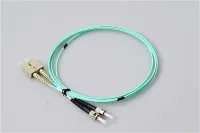
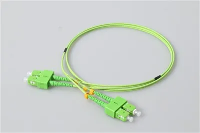
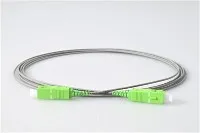
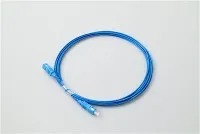
When evaluating PoE fiber media converters, confirm the PoE standard (802.3af/at/bt), verify the fiber type (single-mode vs. multimode), and match the connector type to your infrastructure. The quality of the fiber optic patch cord at that handoff point directly affects signal quality and long-term reliability.
PoE Injector vs. PoE Switch: Which One Do You Need?
A PoE switch has PoE built into every port - power and data come standard without additional hardware. That makes it ideal when most connected devices need PoE. But it also means replacing your existing non-PoE switch, which carries higher upfront cost and may be unnecessary if only a handful of devices actually require power.
A PoE injector adds PoE capability one port at a time. Need to power a single IP camera at the warehouse entrance? A single port PoE injector handles that for $15–$30 without touching the rest of your network. Adding a few wireless access points across a small office? A multi-port gigabit PoE injector (4 or 8 ports) covers the job while preserving your existing switch investment. The breakeven point typically arrives around 8–12 PoE devices - beyond that, a dedicated PoE switch usually becomes more cost-effective and easier to manage.
What to Consider Before Buying
Three factors drive every purchase. First, device count: a single port PoE injector handles one camera or AP; multi-port models serve larger installations. Second, power budget: tally the wattage of every device and select a model exceeding the total draw. A basic IP camera pulls 8–12W; a PTZ camera with heater can demand 50W+. Third, speed and voltage: IEEE 802.3af/at/bt devices standardize on 48V and negotiate automatically, but legacy equipment may expect 12V or 24V. Also confirm gigabit throughput - a gigabit PoE injector prevents bottlenecks for high-bandwidth endpoints like multi-megapixel cameras or Wi-Fi 6 access points.
Safety, Cable Quality, and Reliability
IEEE-compliant PoE injectors rank among the safest power delivery devices in networking. The handshake mechanism keeps ports electrically inert until a valid PoE signature is detected - no risk to accidentally connected non-PoE equipment.
For mission-critical installations, connect the PoE injector to an uninterruptible power supply (UPS). Since PoE devices receive power through the network equipment, a UPS on the injector provides battery backup to every connected endpoint simultaneously.
Cable quality deserves more attention than it typically gets. Always use solid-copper Ethernet cabling rated Cat5e or higher. Copper-clad aluminum (CCA) cables cost less but carry higher electrical resistance - more power loss, more heat, and a genuine fire risk in PoE++ installations pushing 60–90W. Whether working with fiber optic network adapters or copper endpoints, material quality at every termination point determines long-term reliability.
Frequently Asked Questions
Q: Will A PoE Injector Damage Non-PoE Devices?
A: No. IEEE 802.3af/at/bt compliant injectors perform a handshake before sending power. No valid PoE signature detected means no power delivered. The probe voltage used during detection is harmless.
Q: Can I Use A PoE Injector With A PoE Switch?
A: You can, but it is redundant. A PoE switch already supplies power through its ports, and stacking an injector may cause negotiation conflicts. See the PoE injector vs. PoE switch section above for guidance.
Q: How Far Can A PoE Injector Send Power?
A: Up to 100 meters (328 feet) per IEEE specification. Beyond that distance, use PoE extenders or switch to a fiber optic backbone with a media converter at the remote end.
Q: What Is The Difference Between A PoE Injector And A PoE Splitter?
A: A PoE injector adds power to an Ethernet cable. A PoE splitter does the opposite - separating power and data from an incoming PoE cable into two outputs: standard Ethernet plus a separate DC power cable for non-PoE devices.
Q: Does A PoE Injector Affect Network Speed?
A: No. A gigabit PoE injector passes data at full 1 Gbps line rate with zero measurable latency. Always confirm gigabit support on the injector's spec sheet - older or bargain models may cap at 100 Mbps, which would bottleneck modern devices.