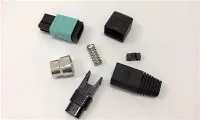
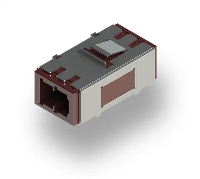
As a seasoned supplier of Fiber Optic ST Couplers, I've witnessed firsthand the critical role these components play in modern fiber optic networks. Ensuring their proper maintenance is not only essential for optimal performance but also for extending their lifespan and reducing overall network downtime. In this blog post, I'll delve into the maintenance requirements for Fiber Optic ST Couplers, sharing insights and best practices based on my years of experience in the industry.
Understanding the Fiber Optic ST Coupler
Before we dive into maintenance, let's briefly review what a Fiber Optic ST Coupler is and how it functions. The ST (Straight Tip) coupler is a widely used connector in fiber optic networks, known for its simple design and reliable performance. It features a bayonet-style coupling mechanism that allows for quick and easy installation and removal. The ST coupler is commonly used in both single-mode and multi-mode fiber optic systems, making it a versatile choice for various applications.
The primary function of an ST coupler is to join two fiber optic cables together, allowing light signals to pass through from one cable to the other. This connection is crucial for transmitting data over long distances with minimal loss of signal strength. However, over time, the performance of the ST coupler can degrade due to various factors, such as dust, dirt, and physical damage. This is where proper maintenance comes in.
Regular Inspection
One of the most important maintenance tasks for Fiber Optic ST Couplers is regular inspection. This involves visually examining the couplers for any signs of damage, such as cracks, scratches, or bent pins. Additionally, you should check for any signs of dirt or dust buildup on the connector end-faces. Even a small amount of debris can cause significant signal loss, so it's essential to keep the end-faces clean.
To perform a visual inspection, you'll need a fiber optic microscope or a visual fault locator (VFL). A fiber optic microscope allows you to magnify the end-face of the connector, making it easier to detect any defects or contaminants. A VFL, on the other hand, emits a visible light that can help you identify breaks or bends in the fiber optic cable.
During the inspection, pay close attention to the following areas:
- Connector Body: Check for any cracks or damage to the connector body. A damaged connector body can compromise the integrity of the connection and lead to signal loss.
- End-Face: Inspect the end-face of the connector for any scratches, pits, or contaminants. A dirty or damaged end-face can cause reflection and scattering of light, resulting in poor signal quality.
- Ferrule: The ferrule is the small, cylindrical component that holds the fiber optic cable in place. Check for any signs of damage or misalignment to the ferrule. A misaligned ferrule can cause high insertion loss and return loss.
If you notice any signs of damage or contamination during the inspection, it's important to take immediate action to address the issue. This may involve cleaning the connector end-face or replacing the damaged connector.
Cleaning
Cleaning the connector end-faces is a critical maintenance task that should be performed regularly to ensure optimal performance. Over time, dust, dirt, and other contaminants can accumulate on the end-faces, causing signal loss and degradation. Cleaning the end-faces helps to remove these contaminants and restore the connection to its original performance.
There are several methods for cleaning fiber optic connectors, including dry cleaning, wet cleaning, and using a cleaning pen. The method you choose will depend on the type of contamination and the level of cleanliness required.
- Dry Cleaning: Dry cleaning is the most common method for cleaning fiber optic connectors. It involves using a dry cleaning wipe or a lint-free cloth to gently wipe the end-face of the connector. This method is effective for removing loose dust and dirt particles.
- Wet Cleaning: Wet cleaning is a more thorough method that involves using a cleaning solution to remove stubborn contaminants. You can use a specialized fiber optic cleaning solution or isopropyl alcohol (IPA) for wet cleaning. Apply a small amount of the cleaning solution to a cleaning wipe or a lint-free cloth, and then gently wipe the end-face of the connector.
- Cleaning Pen: A cleaning pen is a convenient and portable tool for cleaning fiber optic connectors. It contains a cleaning tip that is impregnated with a cleaning solution. Simply insert the cleaning tip into the connector and rotate it gently to clean the end-face.
When cleaning the connector end-faces, it's important to follow the manufacturer's instructions carefully. Avoid using abrasive materials or excessive force, as this can damage the connector end-face. Additionally, make sure to clean both the male and female connectors to ensure a proper connection.
Handling and Storage
Proper handling and storage of Fiber Optic ST Couplers are also important for maintaining their performance. When handling the couplers, make sure to use clean gloves to prevent contamination. Avoid touching the connector end-faces with your fingers, as this can leave behind oils and dirt that can affect the performance of the connection.
When storing the couplers, make sure to keep them in a clean, dry environment. Avoid exposing the couplers to extreme temperatures, humidity, or direct sunlight, as this can damage the connector components. Additionally, make sure to store the couplers in a protective case or container to prevent physical damage.
Testing
Regular testing of the Fiber Optic ST Couplers is essential for ensuring their performance. Testing involves measuring the insertion loss and return loss of the couplers to determine if they are within the acceptable range. Insertion loss refers to the amount of signal loss that occurs when light passes through the coupler, while return loss refers to the amount of light that is reflected back from the coupler.
To test the couplers, you'll need a fiber optic test kit, which typically includes an optical time-domain reflectometer (OTDR), a light source, and a power meter. The OTDR is used to measure the length and integrity of the fiber optic cable, while the light source and power meter are used to measure the insertion loss and return loss of the coupler.
During the testing process, make sure to follow the manufacturer's instructions carefully. Take multiple measurements at different points along the cable to ensure accurate results. If the insertion loss or return loss of the coupler is outside the acceptable range, it may indicate a problem with the connector or the cable. In this case, you may need to clean or replace the connector to restore the performance of the connection.
Conclusion
Maintaining Fiber Optic ST Couplers is essential for ensuring optimal performance and reliability of fiber optic networks. By following the maintenance requirements outlined in this blog post, you can extend the lifespan of your couplers, reduce network downtime, and ensure the smooth operation of your fiber optic system.
If you're in the market for high-quality Fiber Optic ST Couplers or other fiber optic products, I invite you to explore our extensive range of offerings. We offer a wide selection of Fiber Optic St Coupler, including Mtp®/mpo-8/12/24 Black Fiber Optic Adapter/coupler with Flange, Key Up To Down and China Lc Lc Duplex Fiber Optic Adapter. Our products are designed to meet the highest standards of quality and performance, and we offer competitive pricing and excellent customer service.


If you have any questions or would like to discuss your specific requirements, please don't hesitate to contact us. We're here to help you find the right fiber optic solutions for your needs.
References
- Fiber Optic Association (FOA). Fiber Optic Installation and Troubleshooting.
- International Electrotechnical Commission (IEC). Fiber Optic Connectors - Part 1: Generic Specification.
- Telecommunications Industry Association (TIA). Fiber Optic Connector Intermateability Standard.