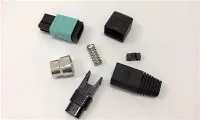
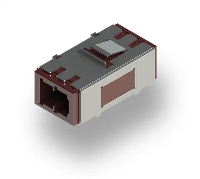
Hey there! As a supplier of Fiber Optic FC Connectors, I've seen my fair share of situations where folks need to replace these connectors. Whether it's due to wear and tear, damage, or just an upgrade, knowing how to replace a Fiber Optic FC Connector is super useful. In this blog, I'll walk you through the whole process step by step.
Why Replace a Fiber Optic FC Connector?
First off, let's talk about why you might need to replace your FC connector. Over time, these connectors can get dirty or damaged. Dust, dirt, and debris can accumulate on the connector end - face, which can cause signal loss or interference. Physical damage, like a cracked ferrule or bent pins, can also mess up the connection. Sometimes, you might want to upgrade to a better - performing connector or change the type of connector to fit a new device.
Tools and Materials You'll Need
Before you start replacing the connector, you'll need to gather a few tools and materials. Here's a list:
- Fiber Optic Strippers: These are used to remove the outer jacket and buffer coating of the fiber optic cable.
- Cleaver: A cleaver is essential for making a clean, precise cut on the fiber.
- Epoxy and Mixing Tools: If you're using an epoxy - based connector, you'll need epoxy and tools to mix it properly.
- Curing Oven or Heat Gun (Optional): Some epoxy connectors require heat to cure.
- Cleaning Supplies: You'll need lint - free wipes and isopropyl alcohol to clean the connector and the fiber end - face.
- New Fiber Optic FC Connector: Make sure you have the right type of connector for your application. You can check out our Fiber Optic Fast Connector Sc Apc or Fiber Optic Lc Connectors if you're interested in other types.
Step - by - Step Replacement Process
Step 1: Prepare the Fiber Optic Cable
The first step is to prepare the fiber optic cable. Start by using the fiber optic strippers to remove the outer jacket of the cable. Be careful not to damage the inner fiber. Once the outer jacket is removed, strip the buffer coating from the fiber. You should end up with a clean, bare fiber.
Step 2: Clean the Fiber
After stripping the fiber, it's crucial to clean it. Use a lint - free wipe soaked in isopropyl alcohol to gently clean the fiber end - face. This will remove any dirt or debris that could affect the connection.


Step 3: Prepare the Connector
If you're using an epoxy - based connector, mix the epoxy according to the manufacturer's instructions. Make sure you mix it thoroughly to ensure proper curing. Then, carefully apply the epoxy to the inside of the connector ferrule.
Step 4: Insert the Fiber into the Connector
Slowly insert the clean, prepared fiber into the connector ferrule. Make sure the fiber goes all the way to the end of the ferrule. Be careful not to push too hard and break the fiber.
Step 5: Cure the Epoxy (if applicable)
If you're using an epoxy - based connector, you'll need to cure the epoxy. You can use a curing oven or a heat gun to do this. Follow the manufacturer's instructions for the correct curing time and temperature.
Step 6: Polish the Connector
Once the epoxy is cured, it's time to polish the connector end - face. Use a polishing film and a polishing puck to polish the end - face of the connector. Start with a coarse polishing film and gradually move to a finer one for a smooth finish.
Step 7: Clean the Connector Again
After polishing, clean the connector end - face again with a lint - free wipe and isopropyl alcohol. This will remove any polishing debris.
Step 8: Test the Connection
Finally, test the connection to make sure it's working properly. You can use an optical time - domain reflectometer (OTDR) or a light source and power meter to test the signal strength and quality.
Tips and Tricks
- Take Your Time: Replacing a fiber optic connector is a delicate process. Don't rush it, or you might end up with a poor connection.
- Follow the Manufacturer's Instructions: Different connectors may have different installation procedures. Make sure you read and follow the manufacturer's instructions carefully.
- Keep Everything Clean: Contamination is one of the biggest enemies of fiber optic connections. Keep your tools, materials, and work area clean.
Common Mistakes to Avoid
- Not Cleaning the Fiber Properly: If the fiber isn't cleaned properly, it can cause signal loss or interference.
- Using the Wrong Tools: Using the wrong tools can damage the fiber or the connector. Make sure you use the right tools for the job.
- Rushing the Curing Process: If the epoxy isn't cured properly, the connector may not hold the fiber securely.
Conclusion
Replacing a Fiber Optic FC Connector might seem like a daunting task, but with the right tools, materials, and a little patience, you can do it yourself. Remember to follow the steps carefully, keep everything clean, and test the connection when you're done.
If you're in the market for high - quality Fiber Optic FC Connectors or other fiber optic products, we're here to help. We also have Conector Ftth Fiber Optic Sc Fast Connector available. Whether you're a professional installer or a DIY enthusiast, we've got the products you need. If you have any questions or want to discuss your specific requirements, feel free to reach out to us. We're happy to assist you with your procurement and answer any technical questions you might have.
References
- Fiber Optic Association (FOA) - Fiber Optic Installation and Testing Guide
- Manufacturer's instructions for Fiber Optic FC Connectors