Hey there! I'm a supplier of Fiber Optic Terminal Boxes, and today I wanna share some tips on how to manage fibers effectively in these boxes. Whether you're a newbie in the field or looking to up your fiber - management game, this blog is for you.
First things first, let's understand why effective fiber management in a terminal box is so important. A fiber optic terminal box is like the control center for your fiber optic cables. It's where all the connections are made, and if things aren't managed well, it can lead to a whole bunch of problems. You might face signal loss, difficulty in troubleshooting, and even damage to the fibers over time.
Planning Your Fiber Layout
Before you start stuffing fibers into the terminal box, take a moment to plan. Sketch out a layout of how you want the fibers to be arranged. Consider factors like the length of the fibers, the number of connections you need to make, and the future expansion possibilities. This pre - planning can save you a ton of headaches down the line.
For instance, if you know you'll be adding more fibers in the near future, leave some extra space in the box. Also, group the fibers based on their functions. For example, keep the fibers for data transmission separate from those for voice communication.
Organizing the Fibers
Once you have a plan, it's time to start organizing the fibers. Use cable ties or Velcro straps to bundle the fibers together. This not only makes the box look neater but also helps in easy identification and maintenance. Make sure the bundles aren't too tight, as this can cause stress on the fibers and lead to signal degradation.
Labeling is another crucial step. Use clear and durable labels to mark each fiber or fiber bundle. Include information like the source, destination, and the type of service it supports. This way, when you need to troubleshoot or make changes, you can quickly find the right fiber.
Handling the Fibers with Care
Fibers are delicate, and any rough handling can cause breaks or bends that affect the signal. When inserting or removing fibers from the terminal box, use proper tools like fiber optic cleaners and splicers. These tools are designed to work with the fibers without causing damage.
Avoid sharp bends in the fibers. The minimum bend radius for most fibers is around 10 - 15 times the outer diameter of the fiber. If you bend the fiber too sharply, it can cause light to leak out, resulting in signal loss.
Managing the Splicing and Termination
Splicing and termination are key processes in fiber optic management. When splicing fibers, make sure the splice is clean and secure. Use a fusion splicer for a more permanent and reliable connection. After splicing, protect the splice with a splice protector to prevent any damage.
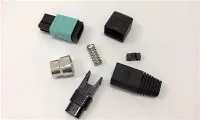
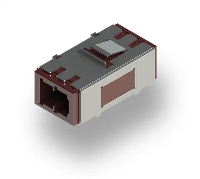
For termination, use high - quality connectors. There are different types of connectors available, such as SC, LC, and ST connectors. Choose the one that best suits your application. Make sure the connectors are properly installed and tested to ensure a good connection.
Cooling and Ventilation
Fiber optic terminal boxes can generate heat, especially if they're in a high - traffic area or have a large number of connections. Adequate cooling and ventilation are essential to prevent overheating, which can damage the fibers and other components in the box.
You can use fans or heat sinks to keep the temperature inside the box under control. Also, make sure the box is installed in a well - ventilated area.
Regular Inspections and Maintenance
Don't just set up the fiber optic terminal box and forget about it. Regular inspections are necessary to ensure everything is in working order. Check for any signs of damage, loose connections, or dust accumulation.
Clean the box and the fibers regularly using a fiber optic cleaner. This can remove any dirt or debris that might be affecting the signal. Replace any damaged components immediately to prevent further problems.
Our Product Range
As a supplier, I'm proud to offer a wide range of fiber optic terminal boxes. For example, we have the 48 Port Fiber Distribution Box Ip55, Wall Mount, Indoor and Outdoor. This box is perfect for both indoor and outdoor use, with an IP55 rating that provides protection against dust and water. It has 48 ports, which can handle a large number of fiber connections.
Another great product is the Outdoor Fiber Optic Distribution Box 32 Core. This box is designed specifically for outdoor use, with a rugged construction that can withstand harsh environmental conditions. It has 32 cores, which is ideal for medium - sized networks.


If you're looking for a smaller solution for FTTH applications, our Ftth 2core Fiber Optic Termination Box is a great choice. It's compact and easy to install, making it perfect for home or small - office use.
Conclusion
Managing fibers effectively in a fiber optic terminal box is a skill that can make a big difference in the performance of your fiber optic network. By following the tips I've shared, you can ensure that your fibers are well - organized, protected, and functioning at their best.
If you're interested in our fiber optic terminal boxes or have any questions about fiber management, don't hesitate to reach out. We're here to help you find the right solutions for your needs and can assist you in setting up and maintaining your fiber optic network.
References
- Fiber Optic Association. "Fiber Optic Installation and Maintenance Guide."
- Corning Inc. "Best Practices for Fiber Optic Management."