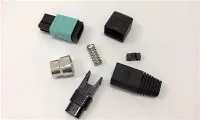
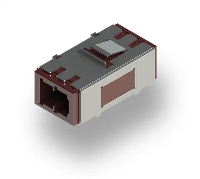
Hey there! As a supplier of Fiber Optic SC Patch Cords, I'm super stoked to share with you how to install these nifty little things. Whether you're a tech newbie or a seasoned pro, this guide will walk you through the process step by step.
First off, let's talk a bit about what a Fiber Optic SC Patch Cord is. It's a cable that uses fiber - optic technology to transmit data at super - high speeds. The SC connector is a popular type because it's easy to install and provides a reliable connection. These patch cords are used in a bunch of places, like data centers, local area networks, and telecommunications systems.
What You'll Need
Before you start installing the Fiber Optic SC Patch Cord, you'll need to gather a few tools and materials. Here's a quick list:
- Fiber Optic SC Patch Cord: Obviously, you can't do the installation without it. Make sure you get a good - quality one from a reliable supplier, like us!
- Fiber Optic Cleaner: This is crucial for keeping the connectors clean. Dirty connectors can cause signal loss and other issues.
- Fiber Optic Inspection Scope: It helps you check the connectors for any damage or dirt.
- Safety Glasses: Working with fiber optics can be a bit tricky, and small fiber shards can fly around. Safety first, folks!
- Cable Ties: To keep the cables organized and tidy.
Step 1: Prepare the Work Area
The first thing you want to do is set up a clean and well - lit work area. You don't want any dust or debris getting into the fiber optic connectors. Clear off a table or a countertop, and make sure you have enough space to lay out your tools and the patch cord.
Step 2: Inspect the Fiber Optic SC Patch Cord
Once you have your work area ready, take a good look at the patch cord. Check for any visible damage, like cuts or kinks in the cable. Also, use the fiber optic inspection scope to examine the connectors. If you see any dirt or debris on the connectors, use the fiber optic cleaner to gently clean them.
Step 3: Identify the Connection Points
Now, you need to figure out where you're going to connect the patch cord. This could be a network switch, a server, or another piece of equipment. Look for the SC ports on the devices. These ports are usually labeled, so it should be pretty easy to find them.
Step 4: Connect the Patch Cord
Here comes the fun part! Take one end of the Fiber Optic SC Patch Cord and align it with the SC port on the first device. You'll notice that the connector has a little tab on it. Push the connector into the port until you hear a click. That click means the connector is properly seated.
Repeat the same process for the other end of the patch cord. Connect it to the second device's SC port. Make sure you don't force the connector in. If it doesn't go in easily, double - check that you're aligning it correctly.
Step 5: Inspect the Connections Again
After you've connected the patch cord, use the fiber optic inspection scope to check the connections one more time. Make sure there are no signs of damage or dirt. If everything looks good, you're on the right track.
Step 6: Secure the Cable
Once you're satisfied with the connections, use cable ties to secure the patch cord. This will prevent the cable from getting pulled or tangled, which could damage the connectors or disrupt the signal.
Step 7: Test the Connection
The final step is to test the connection. You can use a network analyzer or other testing equipment to check if the data is flowing properly through the patch cord. If the test shows that there are no issues, congratulations! You've successfully installed the Fiber Optic SC Patch Cord.
Some Tips and Tricks
- Don't bend the fiber optic cable too sharply. A sharp bend can cause signal loss. The minimum bend radius for most fiber optic cables is about 10 times the cable's outer diameter.
- Always handle the connectors with care. Fingerprints and other contaminants can reduce the performance of the patch cord.
- If you're working in a high - traffic area, consider using cable management solutions to protect the patch cord from being accidentally damaged.
Our Product Recommendations
We offer a wide range of Fiber Optic SC Patch Cords, as well as other related products. For example, if you're looking for a high - speed multi - fiber cable, check out our Om4 Multi - fiber 100gb Multimode 50/125 Fiber Optic Cable Mtp/mpo To Lc Breakout 12 Fiber. It's great for data centers and other high - performance applications.


If you need a more standard patch cord, our Fiber Optic Patch Cord Lc To Lc Upc Duplex Single Mode is a reliable choice. And for a short - distance connection, the 1 Meter Lc To Lc Uniboot Singlemode Duplex Patch Cable is perfect.
Contact Us for Procurement
If you're interested in purchasing Fiber Optic SC Patch Cords or any of our other products, we'd love to hear from you. We can offer you high - quality products at competitive prices. Whether you're a small business or a large enterprise, we have the solutions to meet your needs. Reach out to us to start a procurement discussion.
References
- "Fiber Optic Installation Handbook" by some well - known author.
- Industry standards and guidelines for fiber optic installation.