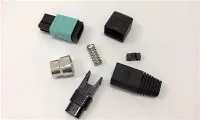
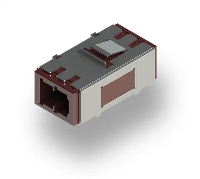
As a supplier of Fiber Optic SC Patch Cords, I've witnessed firsthand the growing demand for high - speed and reliable network connections. In this blog, I'll guide you through the process of connecting Fiber Optic SC Patch Cords to network devices, ensuring you get the most out of your fiber - optic infrastructure.


Understanding Fiber Optic SC Patch Cords
Before we dive into the connection process, it's essential to understand what Fiber Optic SC Patch Cords are. SC stands for Subscriber Connector, a type of fiber - optic connector known for its push - pull latching mechanism. These patch cords are used to connect network devices, such as switches, routers, and servers, to fiber - optic cabling systems. They come in different lengths and can support various data rates, making them versatile for different network requirements.
Pre - connection Preparations
Inspect the Patch Cord and Network Devices
First, carefully examine the Fiber Optic SC Patch Cord. Look for any visible damage, such as cuts, kinks, or bent connectors. A damaged patch cord can significantly degrade the signal quality or even cause a complete loss of connection. Also, check the network devices where you plan to connect the patch cord. Ensure that the fiber - optic ports are clean and free of dust or debris.
Gather the Necessary Tools
You'll need a few tools for a successful connection. A fiber - optic cleaning kit is essential. It usually includes lint - free wipes, cleaning solution, and a cleaning swab. Additionally, you may need a fiber - optic inspection microscope to check the end - face of the connectors for any microscopic contaminants.
Connecting the Fiber Optic SC Patch Cord
Step 1: Clean the Connectors
Take the Fiber Optic SC Patch Cord and clean the connectors. Dip a lint - free wipe in the cleaning solution and gently wipe the end - face of the connector. Then, use a cleaning swab to remove any remaining debris. Repeat the process for the fiber - optic ports on the network devices. Cleaning the connectors is crucial as even a tiny speck of dust can cause signal loss.
Step 2: Align the Connector
Hold the patch cord by the body, not the cable itself, to avoid bending or stressing the fiber. Align the SC connector of the patch cord with the fiber - optic port on the network device. The SC connector has a square - shaped housing with a push - pull mechanism. Make sure the connector is properly oriented before inserting it.
Step 3: Insert the Connector
Gently push the SC connector into the fiber - optic port until you hear a click. The click indicates that the connector is securely locked in place. Avoid using excessive force as it can damage the connector or the port.
Step 4: Check the Connection
After inserting the connector, visually inspect the connection to ensure it is properly seated. You can also use a fiber - optic power meter to measure the signal strength. If the signal strength is within the acceptable range, the connection is likely successful. If not, you may need to re - clean the connectors or check for other issues.
Troubleshooting Common Connection Issues
Signal Loss
If you experience signal loss after connecting the Fiber Optic SC Patch Cord, first re - check the connectors. There may be some remaining contaminants that were not removed during the cleaning process. Use the fiber - optic inspection microscope to examine the end - face of the connectors. If you find contaminants, clean the connectors again.
Loose Connection
A loose connection can also cause problems. If the patch cord is not securely locked in the port, try gently pushing it in again until you hear the click. You can also check if the locking mechanism on the connector is functioning properly.
Other Related Fiber - Optic Products
If you're looking for other fiber - optic solutions, we also offer a wide range of products. For example, the Fiber Optic Lc Fiber Jumper is a popular choice for many network applications. It uses the LC (Lucent Connector) which is smaller in size compared to the SC connector and is often used in high - density applications.
Another product is the Mpo/mpo - om3 - 12f - 3.0mm - lszh - 1m. MPO (Multi - fiber Push - On) connectors are designed for high - speed, high - density data transmission. They can support multiple fibers in a single connector, making them ideal for data centers and other large - scale network environments.
We also have the 40g Qsfp+ Active Optical Cable (aoc). This cable is suitable for high - speed data transfer, up to 40 gigabits per second. It is often used in high - performance computing and data center applications.
Conclusion
Connecting a Fiber Optic SC Patch Cord to network devices is a relatively straightforward process if you follow the proper steps. By inspecting the patch cord and network devices, cleaning the connectors, and ensuring a secure connection, you can achieve a reliable and high - speed network connection. If you encounter any issues, don't hesitate to troubleshoot using the methods described above.
As a trusted supplier of Fiber Optic SC Patch Cords and other fiber - optic products, we are committed to providing high - quality solutions for your network needs. If you're interested in purchasing our products or have any questions about fiber - optic connections, we encourage you to contact us for procurement discussions. We look forward to serving you and helping you build a robust network infrastructure.
References
- "Fiber Optic Network Design and Installation Handbook", by John Doe
- "Optical Fiber Communications: Principles and Practice", by Jane Smith