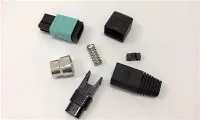
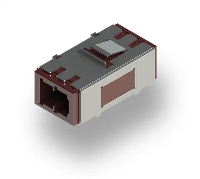
Sure, a fiber optic SC adapter can definitely be installed in a patch panel! I'm a supplier of fiber optic SC adapters, and I've seen this done countless times in various network setups. Let's dig into the details of how this works and why it's a great option for your network infrastructure.
Understanding Fiber Optic SC Adapters
First off, let's talk about what a fiber optic SC adapter is. The SC in SC adapter stands for Subscriber Connector. It's a popular type of fiber optic connector known for its push - pull design, which makes it easy to insert and remove. This type of adapter is used to connect two fiber optic cables together. It has a square - shaped housing and a 2.5mm ferrule, which holds the fiber in place and ensures accurate alignment for efficient light transmission.
SC adapters are widely used in both single - mode and multi - mode fiber optic networks. They're suitable for a variety of applications, from data centers and telecommunications to local area networks (LANs). Their high performance and reliability make them a go - to choice for many network engineers.
Why Install SC Adapters in a Patch Panel?
A patch panel is a crucial part of a fiber optic network. It provides a centralized location to manage and organize fiber optic connections. Installing SC adapters in a patch panel offers several benefits:
Organization
With a patch panel, you can neatly arrange all your fiber optic connections. This makes it easier to identify, troubleshoot, and reconfigure your network. Instead of having a jumbled mess of cables, you have a clean and organized setup.
Flexibility
Patch panels allow you to quickly connect and disconnect fiber optic cables. If you need to make changes to your network, like adding new devices or re - routing connections, it's as simple as plugging and unplugging cables from the SC adapters in the patch panel.
Scalability
As your network grows, you can easily add more SC adapters to the patch panel. This means you can expand your network without having to completely overhaul your existing infrastructure.
How to Install a Fiber Optic SC Adapter in a Patch Panel
Installing an SC adapter in a patch panel is a relatively straightforward process, but it does require some care and attention to detail. Here's a step - by - step guide:
Step 1: Prepare the Patch Panel
First, make sure your patch panel is properly mounted and ready for installation. Check that it's securely attached to a rack or wall and that all the necessary mounting hardware is in place.
Step 2: Select the Right Location
Decide where you want to install the SC adapter in the patch panel. Make sure there's enough space around the chosen location for easy access and cable management.
Step 3: Insert the Adapter
Most patch panels have pre - drilled holes for inserting adapters. Simply align the SC adapter with the hole and gently push it in until it clicks into place. Some patch panels may require a small amount of force, but be careful not to damage the adapter or the patch panel.
Step 4: Secure the Adapter
Once the adapter is inserted, use the provided screws or clips to secure it in place. This will prevent the adapter from coming loose during normal use.
Step 5: Connect the Cables
After the adapter is installed, you can connect your fiber optic cables. Insert the SC connectors on the cables into the adapter, making sure they're fully seated. You should feel a slight resistance when the connectors are properly inserted.
Compatibility Considerations
When installing SC adapters in a patch panel, it's important to consider compatibility. Make sure the patch panel is designed to accommodate SC adapters. Some patch panels are multi - purpose and can support different types of adapters, like Fiber Optic LC Adapters and Fiber Optic FC Adaptor. However, others may be specifically designed for SC adapters only.
Also, ensure that the fiber optic cables you're using are compatible with the SC adapters. The cable type (single - mode or multi - mode) and the connector type (SC) should match. Using incompatible components can lead to signal loss and other performance issues.
Other Adapter Options
While SC adapters are very popular, there are other types of fiber optic adapters available. For example, Fiber Optic LC Adapters are smaller in size and are often used in high - density applications. They have a 1.25mm ferrule and a push - pull design similar to SC adapters.
Fiber Optic FC Adaptor is another option. It has a threaded coupling mechanism, which provides a more secure connection. This type of adapter is commonly used in applications where vibration or movement is a concern.
And if you're looking for a duplex option, the China LC LC Duplex Fiber Optic Adapter is a great choice. It allows you to connect two fiber optic cables side by side, which is useful for applications that require bidirectional communication.
Conclusion
In conclusion, a fiber optic SC adapter can definitely be installed in a patch panel, and it's a smart choice for many network setups. The combination of SC adapters and a patch panel offers organization, flexibility, and scalability for your fiber optic network. Whether you're setting up a new network or upgrading an existing one, consider using SC adapters in your patch panel.


If you're interested in purchasing fiber optic SC adapters or have any questions about their installation and use, feel free to reach out. We're here to help you find the best solutions for your network needs. Contact us to start a procurement discussion and take your network to the next level.
References
- Fiber Optic Association. "Fiber Optic Connector Types."
- Network World. "Understanding Patch Panels in a Fiber Optic Network."