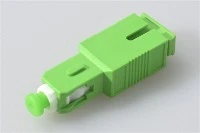
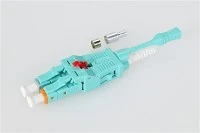
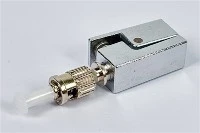
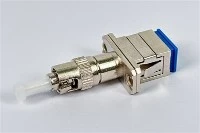
Use a mechanical fiber optic fast connector when an FTTH drop needs a connectorized end and the selected connector fits the cable, mating port and installation environment. Use fusion splicing to a factory-terminated pigtail when the endpoint is designed around a protected splice and an adapter port. For a cable-to-cable continuation with no detachable interface, use the specified splice arrangement rather than adding connectors. The choice depends on the completed endpoint, its optical budget and the work needed to install and maintain it.
For an installer, the practical questions are whether the termination fits, passes testing and can be serviced. For a buyer, they are whether the quoted parts cover the whole installation and whether production batches match the approved sample. This guide connects those decisions so that a low connector price or a low splice-loss estimate does not hide missing hardware, preparation work or acceptance requirements.

What Are You Comparing: a Fast Connector, a Pigtail Splice or a Splice-On Connector?
A pre-polished mechanical fast connector contains a factory-finished fiber stub. The installer prepares the field fiber and secures it against that stub inside the connector. A fusion-spliced pigtail places a separate protected splice between the installed fiber and a factory-connectorized tail. A fusion splice-on connector also uses a field fusion operation, but packages the connector and splice protection differently. All three can create a connectorized endpoint; a bare fusion splice cannot.
The FOA guide to fiber termination explains these attachment methods. For purchasing, compare the complete arrangements below, not a fast connector against the price of a splice sleeve.
| Method | Materials to include | Field equipment | Installation constraint |
|---|---|---|---|
| Mechanical fast connector | Connector, cable-specific boot or clamp, and any required protective tubing | Suitable stripper and cleaver, cleaning supplies, any specified assembly tool, inspection and test equipment | The fiber preparation and cable retention must match the exact connector model |
| Fusion splice to a pigtail | Pigtail, splice protector, compatible holder or tray, adapter and enclosure provisions | Fusion splicer, cleaver, preparation tools, protector heater where required, inspection and test equipment | Space is needed for the protected splice, routed tail and maintenance access |
| Fusion splice-on connector | Connector assembly and its specified protection components | Compatible splicer, connector holder, preparation tools and specified protection equipment | Confirm splicer and holder compatibility; a conventional pigtail workflow may not apply |
| Cable-to-cable fusion splice | Splice protector, holder or tray, closure and cable-entry hardware | Fusion splicer and cable preparation, protection and test equipment | Provides a permanent joint rather than a detachable port |
Which Method Fits Each FTTH Installation Point?
Subscriber wall outlet or ONT connection
A mechanical fast connector is worth evaluating where the drop arrives unterminated, the crew needs a connector at that location and the approved model can grip the actual cable. Confirm the ONT or wall-outlet interface before ordering. An SC housing alone does not establish whether the port requires APC or UPC, and a connector designed for round cordage may not secure a flat drop cable.
A pigtail arrangement is also possible if the outlet has suitable splice protection and fiber storage. Compare the populated layout: can the tail reach the adapter, can the protector be retained, and can the cover close without pinching fiber? If the outlet lacks those provisions, selecting a pigtail without changing the enclosure leaves the installation incomplete.
Building distribution box, cabinet or ODF
Evaluate fusion-spliced pigtails where incoming fibers are intended to become numbered adapter ports and the enclosure already supports splicing. Make the port map and splice map agree. A cabinet with enough adapters can still lack enough splice holders or routing space. Use the fiber pigtail application and enclosure guide to check that transition.
Mechanical connectors can be considered at designated connectorized points, but approving them changes the parts and workflow at those points. Check accessibility for installation, inspection and replacement with the box populated, not only with an empty sample.
Feeder continuation or backbone splice closure
If the drawing requires fibers to continue through a closure without detachable ports, follow the splice schedule. Replacing that joint with two fast connectors and an adapter adds a mating interface and changes the optical and mechanical arrangement. Such a change needs design approval; connector availability alone is not a reason to alter the route.
Outdoor drop termination
Check the connector's environmental qualification together with the enclosure, cable entries and strain relief. A weather-resistant box does not establish the suitability of every component placed inside it. Conversely, an outdoor cable route does not require every endpoint to use the same termination method. Identify where the termination actually sits and what conditions it experiences.
For a spliced endpoint, include protection and retention of the splice as well as sealing of the cable entry. For a mechanical endpoint, check the cable clamp, connector protection and access for testing. Review the relevant fiber optic terminal box configurations against the complete proposed assembly.
Emergency repair
First identify whether the fault is a damaged connector, a broken drop or a cable joint. Replacing a connector at an existing port is a different job from restoring a severed cable. Use an operator-approved repair arrangement, test it before returning service and record any temporary components or follow-up work. A fast connector by itself does not join two unterminated cable ends.
Check Connector Compatibility Before Comparing Price
SC, LC or another mating interface
Read the interface on the equipment or adapter and specify it in the order. Do not choose SC because the application is called FTTH or LC because the installation needs higher density. The required interface is a constraint set by the mating point. Also check connector-body and boot clearance: a termination must be installable and removable with adjacent ports occupied.
APC and UPC must match at each connection
APC and UPC are incompatible end-face arrangements and must not be mated together. An adapter that accepts the connector housing does not correct the end-face mismatch. Green and blue identification can help, but verify the part specification and the equipment documentation rather than relying on color alone.
A hybrid patch cord can have different interfaces at its two ends if each end matches its own port. That is different from mating APC to UPC inside one adapter. The FOA connector compatibility guidance addresses this distinction.
Fiber, buffer and cable jacket are separate specifications
Specify the fiber used in the installed cable and obtain confirmation that the offered connector or pigtail is compatible. Then specify the physical construction entering the termination. A 250 µm coated fiber, a 900 µm buffered fiber, round jacketed cordage and a flat drop cable do not have the same retention requirements.
For a mechanical connector, send the cable datasheet or cross-section to the supplier and ask which model, boot, clamp and preparation procedure apply. For a pigtail, specify its fiber, buffer or jacket, routed length and protection arrangement. A nominal outer diameter alone does not describe the shape, strength members or cable-entry hardware.
Insertion loss, return loss and reflectance
Insertion loss describes transmitted power lost through the measured path; lower is better. Return loss uses a positive dB convention in which a higher value means less reflection. Reflectance normally uses negative dB values, so a more negative value means less reflected power. For the same reflected-power ratio, 50 dB return loss corresponds to −50 dB reflectance; these are measurement conventions, not product acceptance limits.
Fluke Networks explains the loss and reflectance conventions. When comparing quotations, require the quantity, sign, limit and measurement boundary to be named. A low insertion-loss result does not establish compliance with a separate reflection requirement.
Compare Optical Loss Across the Complete Termination
Draw the same start and end points for both options. The mechanical route contains its internal attachment and the connector mating. The pigtail route contains the field splice, tail and connector mating. Ask whether the supplier's quoted figure covers the entire termination or only one part. Add separately specified losses, but do not add an internal splice again when it is already included in the complete assembly result.
For context, the FOA loss-budget guidance uses 0.15 dB as a single-mode fusion-splice planning value and discusses a 0.75 dB maximum allowance for pre-polished mechanical-splice connectors in its TIA-568 summary. A bare-splice allowance and a connector allowance describe different boundaries. Neither substitutes for the selected model's specification or the project's acceptance limit.
Planned path loss = fiber loss + mated connection losses + separately counted splice losses + splitter and other passive-component losses.
For a PON drop, use the actual route and splitting arrangement. A short subscriber cable does not prove that the whole ODN has spare margin. Check the equipment's permitted path loss, the approved component allowances and the required engineering reserve at the specified wavelengths.
Do not mix an average result for one option with a maximum limit for the other. Ask for equivalent measurement conditions and complete-endpoint results. Use those results to choose the termination allowance, and keep the supplier's component test separate from acceptance of the installed link.
How to Install a Mechanical Fast Connector Without Losing the Time Advantage
Have the connector's cable-specific instructions at the work point. Required strip lengths, cleave lengths, insertion indicators and locking mechanisms differ. The sequence below is a preparation checklist; dimensions and the exact assembly actions must come from the chosen model.

- Confirm the parts before stripping. Check connector model, fiber, cable construction and mating polish. Identify any boot or protective tubing that must be placed on the cable before assembly.
- Prepare the cable to its specified template. Use the correct stripping tool and remove the jacket and coating as instructed. Check that the prepared fiber is undamaged and that the retention parts will grip the intended jacket or strength members.
- Clean before cleaving. Use the specified preparation fluid and lint-free material. Keep the prepared fiber away from fingers and dirty surfaces.
- Cleave to the connector's dimension. Use the specified cleaver setup. If the cleave is damaged or preparation is incorrect, prepare a new end rather than forcing it into the connector.
- Insert and confirm engagement. Follow the model's mark, viewing window or other seating indication. Where a visual fault identifier method is specified, use that procedure. Do not use extra force as a substitute for correct preparation.
- Lock and retain the cable. Operate the cam, wedge or clamp in the prescribed order and fit the boot. Check that cable handling loads are carried by the retention arrangement, not exposed glass.
- Inspect, test and dress the endpoint. Verify the optical result, route the cable within its specified bend limits and confirm that closing the enclosure does not disturb the termination.
Manufacturer procedures illustrate why one universal preparation length is unsafe. For example, AFL's FASTConnect assembly instructions, INS-01056 dated March 15, 2024, distinguish preparation for coated fiber, buffered fiber and jacketed cables. Those instructions apply to the named AFL products; obtain the corresponding instructions for the connector you purchase.
What Changes When You Fusion-Splice a Pigtail?
Plan the tail route and splice-holder position before cutting the pigtail to length. Fit the required splice protector before preparing the ends. Strip, clean and cleave the installed fiber and pigtail, select the correct splicer program, run the splice and follow the equipment's inspection and protection procedure. Retain the protected joint in its intended holder and route the tail to the adapter.
The FOA fusion-splicing procedure describes preparation, splice evaluation and protection. The splicer's loss display is an estimate of the splice, not a measurement of the connectorized path. Complete the required optical tests after protection and routing.

Before closing the box, confirm that every protector is retained, every tail reaches its assigned adapter and the tray can be operated without pulling on fibers. Check the cable-entry retention and final cover position. Passing the splice operation does not verify those mechanical details.
How to Test the Termination Before Handover
Inspect both sides of the mating interface
Inspect the installed connector and the test lead or patch cord it will mate with. Clean when needed and reinspect. A new connector or a protective cap is not proof of a clean end face. Use suitable inspection equipment and the applicable inspection criteria; do not inspect an active fiber by looking into it. The FOA inspection and cleaning guide explains the inspection-cleaning sequence.
Separate continuity from insertion-loss acceptance
A VFL helps trace a fiber and locate visible leakage or breaks. It does not give a numerical insertion-loss result. For loss acceptance, use a suitable light source and calibrated power meter or OLTS, with compatible reference leads. Agree on wavelengths, the reference method and the included connections before testing.
FOA Standard FOA-1, Testing Insertion Loss of Fiber Optic Cable Plant (2025) describes reference arrangements and documentation. Record the cable and fiber ID, operator, equipment, reference method, wavelength, measured result and applicable limit. Recheck the reference and test-lead condition during the work, particularly when results become inconsistent.
Use OTDR testing for the task it can resolve
An OTDR can help locate events and investigate splice or cable problems when its setup suits the link. Closely spaced events may not be resolved individually, and launch or receive arrangements affect which endpoints can be evaluated. Do not assume that a splice and a nearby connector will appear as two separately measurable events.
The FOA outside-plant testing reference distinguishes direct insertion-loss testing from OTDR investigation. Follow the project's test plan for event analysis, direction of testing and reflection measurements.

Troubleshooting: What to Check Before Replacing the Connector
Treat the observed result as a starting point, not a confirmed diagnosis. First verify the instrument setup, reference leads and accessible interfaces. Then work toward the installed termination. The following checks distinguish measurement problems, mating problems and assembly problems.
| Observed symptom | Check first | Next action |
|---|---|---|
| VFL shows continuity, but insertion loss fails | Reference setup, test-lead condition and mating end-face cleanliness | Inspect, clean and remeasure; continuity alone does not demonstrate loss compliance |
| Light leaks near a mechanical connector's splice region | Model-specific seating indication, preparation length and locking sequence | Follow the approved adjustment or re-termination procedure; then perform the loss test |
| A suspect reading follows a particular test lead | That lead's connector cleanliness, condition and compatibility | Verify it against the test procedure and replace a defective lead before judging installed endpoints |
| Loss changes after the cover is closed or the tray is moved | Pinched fiber, routing, tail slack, cable clamp and boot clearance | Correct the mechanical layout and repeat the final test with the enclosure in its service position |
| Insertion loss passes, but a reflection requirement fails | Polish compatibility, end-face condition and the reflection measurement setup | Resolve those checks separately; a transmission-loss pass does not override a reflection failure |
| The splicer reports low estimated loss, but the completed path fails | Connector mating, test setup, routed fiber and other components in the measured path | Locate the failing part of the path; do not remake the splice solely from the end-to-end reading |
| A cleaved fiber will not enter or seat as instructed | Correct connector variant, preparation dimensions and mechanism position | Stop forcing the fiber; repeat preparation or replace the part as the manufacturer's procedure requires |
| A connector fails repeatedly after re-termination | Remaining fiber length, connector condition, permitted rework and tool condition | Use a new connector where required and investigate the preparation process before continuing the batch |
Unplugging and remating a finished connector is different from reopening its internal splice. Obtain the manufacturer's re-termination rules for the exact model. If the connector contains broken fiber or its locking components are damaged, use the specified replacement procedure. Allow enough remaining cable and fiber for a replacement; repeated cutting can leave an endpoint that no longer reaches its port.
Compare Cost per Accepted Endpoint, Not Connector Price Alone
Price both methods for the same usable port. The mechanical route includes the connector and retention parts. The pigtail route includes the tail, splice protection, holder or tray provisions and connector interface. Both require preparation, inspection, testing and documentation. Count only additional hardware required by the option; do not charge an existing adapter panel twice.
Cost per accepted endpoint = total materials, allocated equipment, installation, testing and recorded rework cost / number of accepted endpoints.
Run a pilot with the actual cable, enclosure and proposed crew. Separate travel and access, equipment setup, fiber preparation, termination, protection, routing and testing time. Record first-pass acceptance and discarded parts. A short assembly cycle can still produce a costly endpoint if failures require repeat visits; an available splicer may change the comparison because its purchase cost is already committed.
Also distinguish cost allocation from cash needed to start the job. Purchasing a splicer, hiring one and assigning an existing unit have different upfront requirements. Compare current quotations and the actual work schedule. Use measured pilot results for the decision rather than assuming either method always wins at a particular deployment volume.
What to Put in the RFQ and Sample Approval
A useful enquiry lets the supplier identify a compatible assembly and lets the buyer check the delivered model against the approved sample. Attach the cable information and endpoint layout, then request the following items.
| RFQ item | Information to supply or request | What to verify on the sample |
|---|---|---|
| Endpoint and method | Subscriber port, distribution port or cable joint; mechanical connector, pigtail splice or splice-on connector | The supplied parts create the intended complete endpoint |
| Interface and polish | Required connector family and APC or UPC at each mating point | Part markings and specifications match equipment and adapters |
| Fiber and cable construction | Fiber specification, coating or buffer, jacket shape, dimensions and strength-member arrangement | Written compatibility confirmation and correct cable retention |
| Installation kit | Boots, clamps, tubing, protectors, holders and any dedicated assembly tools | All required components are present and the chosen crew can complete assembly |
| Optical requirements | Insertion-loss and reflection limits, wavelengths, measurement boundary and reference conditions | Results cover the specified assembly and the sample meets the agreed procedure |
| Environment and enclosure | Installation conditions, enclosure model, cable-entry and routing arrangement | Qualified components fit the populated layout and the enclosure closes correctly |
| Instructions and rework | Model-specific preparation drawing, assembly procedure and re-termination rules | Instructions identify the supplied model; replacement leaves adequate fiber reach |
| Production and delivery | Approved part number and revision, lot identification, inspection records, packaging, quantity and delivery terms | Received parts match the approved configuration and can be traced to the supplied records |
For mechanical termination, use the Evolux fiber optic fast connector product page to identify candidate configurations, then request confirmation for your exact cable and interface. For spliced termination, select the required assembly from the fiber optic pigtail range and specify the protection and routing hardware with it.
Approve the complete arrangement after sample installation, optical testing and a populated enclosure check. Keep the approved model, instruction revision and test record with the purchase specification so that a later batch is not accepted only because its housing looks similar.