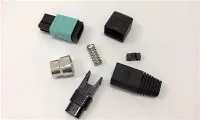
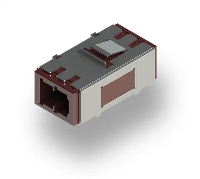
When it comes to setting up a high - performance data center, the proper installation of fiber optic adapters is crucial. As a trusted supplier of Fiber Optic E2000 Adapters, I am here to share with you the essential installation requirements for these adapters in a data center environment.

Understanding the Fiber Optic E2000 Adapter
Before delving into the installation requirements, let's briefly introduce the Fiber Optic E2000 Adapter. The E2000 adapter is a high - quality fiber optic coupling device known for its excellent performance, reliability, and ease of use. It is designed to connect two fiber optic connectors, enabling seamless data transmission between different network components in a data center. With its superior mechanical and optical properties, the E2000 adapter has become a popular choice for data center operators looking to build a stable and efficient network infrastructure.
Environmental Requirements
The first step in installing a Fiber Optic E2000 Adapter is to ensure that the installation environment meets certain standards. Data centers are complex environments with specific temperature, humidity, and dust - control requirements.
Temperature
The ideal temperature range for installing and operating Fiber Optic E2000 Adapters is between 0°C and 60°C. Extreme temperatures can cause the adapter's materials to expand or contract, which may lead to misalignment of the fiber optic connectors and increased signal loss. In addition, high temperatures can also accelerate the aging process of the adapter's components, reducing its lifespan. Therefore, it is essential to maintain a stable temperature within the data center using proper cooling systems.
Humidity
Humidity is another critical factor that can affect the performance of fiber optic adapters. Excessive humidity can cause condensation on the adapter's surfaces, which may lead to corrosion and electrical short - circuits. On the other hand, low humidity can generate static electricity, which can attract dust particles and damage the fiber optic connectors. The recommended relative humidity range for data center installations is between 20% and 80%. To control humidity levels, data centers should be equipped with humidifiers and dehumidifiers as needed.
Dust and Contamination
Dust and other contaminants can significantly impact the performance of fiber optic adapters. Even small particles of dust can cause signal attenuation and reflection, leading to data transmission errors. Therefore, the installation area should be kept clean and free of dust. Data centers should have proper air - filtration systems to remove dust and other airborne particles. During the installation process, it is also important to use clean tools and wear anti - static gloves to prevent contamination of the adapters.
Mounting Requirements
Proper mounting of the Fiber Optic E2000 Adapter is essential for ensuring its long - term performance and reliability.
Mounting Surface
The adapter should be mounted on a flat, stable, and rigid surface. Uneven or vibrating surfaces can cause the adapter to move or shift, which may result in misalignment of the fiber optic connectors. Before mounting the adapter, the surface should be cleaned and inspected for any defects or damage.
Mounting Orientation
The E2000 adapter should be mounted in the correct orientation. Most E2000 adapters have a specific keying mechanism to ensure proper alignment of the connectors. Make sure to follow the manufacturer's instructions regarding the correct mounting orientation to avoid signal loss or damage to the connectors.
Mounting Hardware
Use the appropriate mounting hardware provided by the manufacturer. This may include screws, brackets, or clips. Ensure that the mounting hardware is tightened securely to prevent the adapter from coming loose during operation.
Connector Compatibility
The Fiber Optic E2000 Adapter is designed to work with specific types of fiber optic connectors. It is crucial to ensure that the connectors used are compatible with the adapter.
Connector Type
The E2000 adapter is typically compatible with E2000 connectors. However, there are also hybrid adapters available that can connect E2000 connectors to other types of connectors, such as Fiber Optic Mtrj Adapter or Mtp®/mpo - 8/12/24 Black Fiber Optic Adapter/coupler with Flange, Key Up To Down. When using hybrid adapters, make sure to check the manufacturer's specifications to ensure compatibility and optimal performance.
Connector Quality
The quality of the fiber optic connectors also plays a significant role in the performance of the adapter. Low - quality connectors may have poor alignment, high insertion loss, or excessive return loss, which can degrade the overall network performance. Therefore, it is recommended to use high - quality connectors from reputable manufacturers.
Installation Process
The installation process of the Fiber Optic E2000 Adapter should be carried out carefully to ensure proper operation.
Preparation
Before starting the installation, gather all the necessary tools and materials, including the adapter, connectors, mounting hardware, cleaning supplies, and inspection equipment. Make sure to read the manufacturer's installation instructions thoroughly.
Cleaning
Clean the fiber optic connectors and the adapter's mating surfaces using a lint - free cloth and a suitable cleaning solution. This will remove any dust, dirt, or oils that may be present on the surfaces, which can improve the connection quality.
Connection
Insert the fiber optic connectors into the adapter carefully, following the keying mechanism to ensure proper alignment. Make sure the connectors are fully inserted and locked in place. Avoid applying excessive force during the connection process, as this may damage the connectors or the adapter.
Inspection
After the connection is made, use an optical inspection microscope to check the alignment and cleanliness of the connectors. Look for any signs of damage, such as scratches or cracks, and ensure that the fiber end - faces are clean and smooth. If any issues are detected, take appropriate measures to correct them before proceeding.
Testing and Verification
Once the Fiber Optic E2000 Adapter is installed, it is important to perform thorough testing and verification to ensure its proper functioning.
Optical Loss Testing
Use an optical loss test set (OLTS) to measure the insertion loss and return loss of the adapter. The insertion loss should be within the manufacturer's specified range, typically less than 0.3 dB for single - mode fiber and less than 0.5 dB for multi - mode fiber. The return loss should be as high as possible, usually greater than 50 dB for single - mode fiber and greater than 30 dB for multi - mode fiber.
Data Transmission Testing
In addition to optical loss testing, it is also recommended to perform data transmission testing to ensure that the adapter can support the required data rates and protocols. Use network testing equipment to send and receive data through the adapter and monitor the performance for any errors or interruptions.
Conclusion
Proper installation of the Fiber Optic E2000 Adapter is essential for building a reliable and high - performance data center network. By following the environmental, mounting, connector compatibility, installation, and testing requirements outlined in this blog, data center operators can ensure that their fiber optic adapters are installed correctly and operate efficiently. As a leading supplier of Fiber Optic E2000 Adapters, we are committed to providing high - quality products and professional technical support. If you are interested in purchasing our Fiber Optic E2000 Adapters or have any questions about the installation process, please feel free to contact us for further discussion and procurement negotiation.
References
- "Fiber Optic Network Design and Installation Guide", published by a leading industry association.
- Manufacturer's installation and operation manuals for Fiber Optic E2000 Adapters.