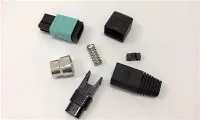
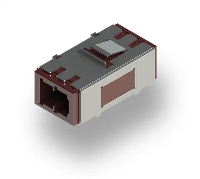
Upgrading a fiber optic MPO adapter in an existing network can significantly enhance the network's performance, reliability, and capacity. As a reputable supplier of fiber optic MPO adapters, I understand the importance of a seamless upgrade process. In this blog, I'll guide you through the steps of upgrading a fiber optic MPO adapter in an existing network, from assessing your needs to the final installation and testing.
Assessing Your Network Needs
Before you start the upgrade process, it's crucial to assess your network's current state and future requirements. Consider the following factors:
- Bandwidth Requirements: Determine the current and future bandwidth needs of your network. If your network is experiencing slow speeds or congestion, upgrading to a higher-capacity MPO adapter may be necessary.
- Network Topology: Understand the layout and structure of your existing network. This will help you identify the locations where MPO adapters are installed and determine the best approach for the upgrade.
- Compatibility: Ensure that the new MPO adapter is compatible with your existing network equipment, such as switches, routers, and servers. Check the specifications of the adapter and the network devices to confirm compatibility.
Choosing the Right MPO Adapter
Once you have assessed your network needs, it's time to choose the right MPO adapter for your upgrade. Here are some key considerations:
- Number of Fibers: MPO adapters come in different configurations, with varying numbers of fibers. Choose an adapter with the appropriate number of fibers to meet your network's bandwidth requirements. For example, if you need high-speed data transmission, you may consider a Mtp®/mpo-8/12/24 Black Fiber Optic Adapter/coupler with Flange, Key Up To Down that supports a larger number of fibers.
- Connector Type: There are different types of MPO connectors, such as MTP and MPO. Make sure the connector type of the new adapter is compatible with your existing network equipment.
- Quality and Reliability: Look for MPO adapters that are made from high-quality materials and have a proven track record of reliability. A reliable adapter will ensure stable and consistent performance over time.
Preparing for the Upgrade
Before you start the installation process, it's important to prepare the necessary tools and equipment. Here's what you'll need:
- Installation Tools: Gather the tools required for the installation, such as fiber optic strippers, cleavers, and fusion splicers. Make sure the tools are in good working condition and are suitable for the type of MPO adapter you are installing.
- Safety Equipment: Wear appropriate safety equipment, such as safety glasses and gloves, to protect yourself during the installation process.
- Documentation: Review the installation instructions and documentation provided by the MPO adapter manufacturer. Familiarize yourself with the installation process and any specific requirements or precautions.
Removing the Old MPO Adapter
Once you have prepared the necessary tools and equipment, it's time to remove the old MPO adapter from the network. Follow these steps:
- Power Off the Network: Before you start working on the network, make sure to power off all the relevant network devices, such as switches and routers. This will prevent any electrical hazards and ensure the safety of the installation process.
- Disconnect the Fibers: Carefully disconnect the fiber optic cables from the old MPO adapter. Use a fiber optic cleaning kit to clean the ends of the cables to remove any dirt or debris.
- Remove the Adapter: Unscrew the mounting screws or clips that hold the old MPO adapter in place. Gently remove the adapter from the network equipment.
Installing the New MPO Adapter
After removing the old MPO adapter, it's time to install the new one. Follow these steps:
- Position the Adapter: Place the new MPO adapter in the same location as the old one. Make sure the adapter is properly aligned with the mounting holes or slots on the network equipment.
- Secure the Adapter: Use the mounting screws or clips to secure the new MPO adapter in place. Tighten the screws or clips firmly to ensure a secure fit.
- Connect the Fibers: Carefully connect the fiber optic cables to the new MPO adapter. Make sure the cables are properly aligned with the adapter's ports and are inserted fully. Use a fiber optic cleaning kit to clean the ends of the cables again after the connection.
Testing the New MPO Adapter
Once the new MPO adapter is installed, it's important to test its performance to ensure that it is working properly. Follow these steps:
- Power On the Network: Power on all the relevant network devices, such as switches and routers. Wait for the devices to boot up and establish a connection.
- Check the Link Status: Use the network device's management interface or a fiber optic tester to check the link status of the new MPO adapter. Make sure all the links are active and the signal strength is within the acceptable range.
- Perform Data Transmission Tests: Conduct data transmission tests to verify the performance of the new MPO adapter. Transfer large files or run network applications to check the speed and stability of the network.
Troubleshooting and Maintenance
In case you encounter any issues during the upgrade process or after the installation, here are some troubleshooting tips:
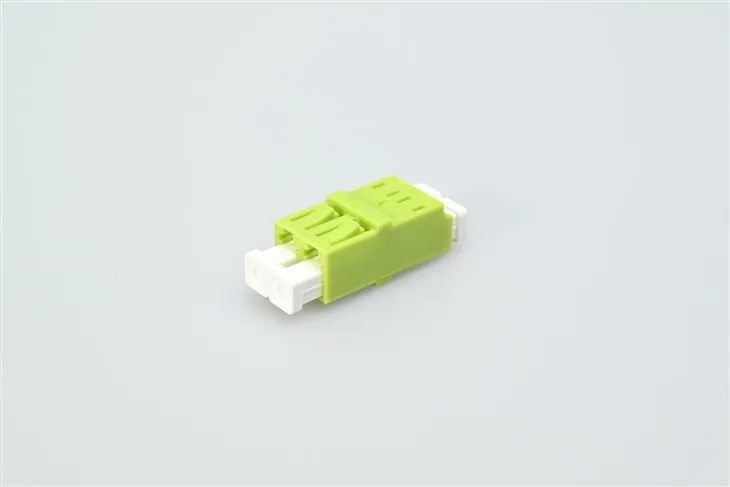

- Check the Connections: Make sure all the fiber optic cables are properly connected to the MPO adapter and the network equipment. Check for any loose or damaged connections and re-connect or replace the cables if necessary.
- Clean the Adapters and Cables: Use a fiber optic cleaning kit to clean the MPO adapter and the fiber optic cables regularly. Dirt and debris can cause signal loss and affect the performance of the network.
- Update the Firmware: Check if there are any firmware updates available for the network equipment. Updating the firmware can improve the compatibility and performance of the MPO adapter.
Conclusion
Upgrading a fiber optic MPO adapter in an existing network can be a complex process, but by following the steps outlined in this blog, you can ensure a successful upgrade. As a fiber optic MPO adapter supplier, I am committed to providing high-quality products and excellent customer service. If you have any questions or need further assistance with your upgrade, please feel free to contact us for more information. We look forward to helping you enhance your network's performance and reliability.
References
- "Fiber Optic Network Design and Installation Guide," by John Doe
- "MPO Fiber Optic Technology: A Comprehensive Overview," by Jane Smith