Hey there! I'm a supplier of fiber optic terminal boxes, and I'm super excited to share with you how these nifty devices work. So, let's dive right in!
First off, what the heck is a fiber optic terminal box? Well, it's a crucial component in a fiber optic network. Think of it as a control center for your fiber optic cables. It's designed to protect, organize, and manage the fiber optic connections in a network. Whether it's for a small home network or a large - scale business setup, fiber optic terminal boxes play a vital role.
The Basics of Fiber Optic Technology
Before we get into how the terminal box works, let's quickly go over the basics of fiber optic technology. Fiber optic cables use thin strands of glass or plastic to transmit data as light pulses. These cables can carry a huge amount of data over long distances at incredibly high speeds. That's why they're so popular in modern communication networks.
Inside a Fiber Optic Terminal Box
So, what's inside a fiber optic terminal box? Typically, you'll find several key parts. There are splice trays where the fiber optic cables are spliced together. Splicing is the process of joining two fiber optic cables end - to - end so that light can pass through them continuously. It's a delicate process that requires special tools and skills.


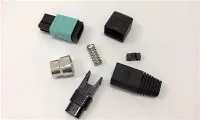
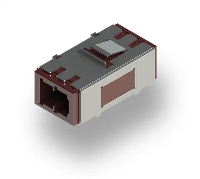
There are also adapter panels. These panels hold the fiber optic adapters, which are used to connect different fiber optic cables or devices. The adapters ensure that the light signals can transfer smoothly between the cables.
Another important part is the storage area for the excess fiber optic cable. When you're installing a fiber optic network, you often have extra cable length. This extra cable needs to be stored properly to prevent damage and signal loss. The terminal box provides a safe and organized space for this excess cable.
How It Works Step - by - Step
Let's break down the process of how a fiber optic terminal box works:
1. Cable Entry
The first step is getting the fiber optic cables into the terminal box. There are usually cable entry ports on the box where the cables can be inserted. These ports are designed to protect the cables from dust, moisture, and physical damage. Once the cables are inside, they're secured to prevent them from moving around.
2. Cable Management
After the cables are inside, they need to be managed properly. This involves routing the cables to the appropriate splice trays or adapter panels. The cables are carefully arranged to avoid tangling, which could cause signal interference.
3. Splicing
If you need to connect two fiber optic cables, the splicing process takes place in the splice trays. There are two main types of splicing: fusion splicing and mechanical splicing. Fusion splicing uses heat to melt the two fiber ends together, creating a permanent and low - loss connection. Mechanical splicing, on the other hand, uses a mechanical device to hold the two fiber ends in place.
4. Connecting to Devices
Once the cables are spliced, they can be connected to other devices using the adapter panels. For example, you might connect the fiber optic cables to a router, a switch, or a fiber optic modem. The adapters on the panel ensure that the connection is stable and that the light signals can transfer efficiently.
5. Signal Transmission
After everything is connected, the fiber optic cables can start transmitting data. The light signals travel through the cables at high speeds, carrying information such as internet data, phone calls, and video streams. The terminal box helps to maintain the integrity of these signals by protecting the cables and ensuring proper connections.
Different Types of Fiber Optic Terminal Boxes
There are various types of fiber optic terminal boxes available, each designed for different applications. For example, if you're setting up a Fiber to the Home (FTTH) network, you might need a 1*16 plc splitter ftth box 16 core fiber optical distribution box ODB cable terminal box for ftth. This type of box is specifically designed to handle the distribution of fiber optic signals in a residential area.
If you have a smaller network, like a home office, a FTTH 2Core Fiber Optic Termination Box might be more suitable. It's compact and can handle the connection of two fiber optic cables.
For larger commercial networks, a 12 Cores Optical Fiber Terminal Box could be the right choice. It has more capacity and can manage multiple fiber optic cables at once.
Why Choose Our Fiber Optic Terminal Boxes
As a supplier, we take pride in offering high - quality fiber optic terminal boxes. Our boxes are made from durable materials that can withstand harsh environmental conditions. They're also designed with user - friendly features, making installation and maintenance easy.
We offer a wide range of terminal boxes to meet different customer needs. Whether you're a small business owner setting up a new network or a large telecommunications company, we have the right product for you.
Contact Us for Purchasing
If you're interested in purchasing fiber optic terminal boxes, we'd love to hear from you. We can provide you with detailed product information, pricing, and technical support. Don't hesitate to reach out to us for a quote or to discuss your specific requirements. We're here to help you build a reliable and efficient fiber optic network.
References
- Fiber Optic Association. (n.d.). Fiber Optic Basics. Retrieved from the official website of the Fiber Optic Association.
- Cisco Systems. (n.d.). Understanding Fiber Optic Networks. Retrieved from the Cisco official website.